
Why the Same Seed Can Produce a Different Image
A controlled Z-Image-Turbo experiment about starting noise, pixel equality, workflow provenance, runtime versions, and GPU determinism.
In this article
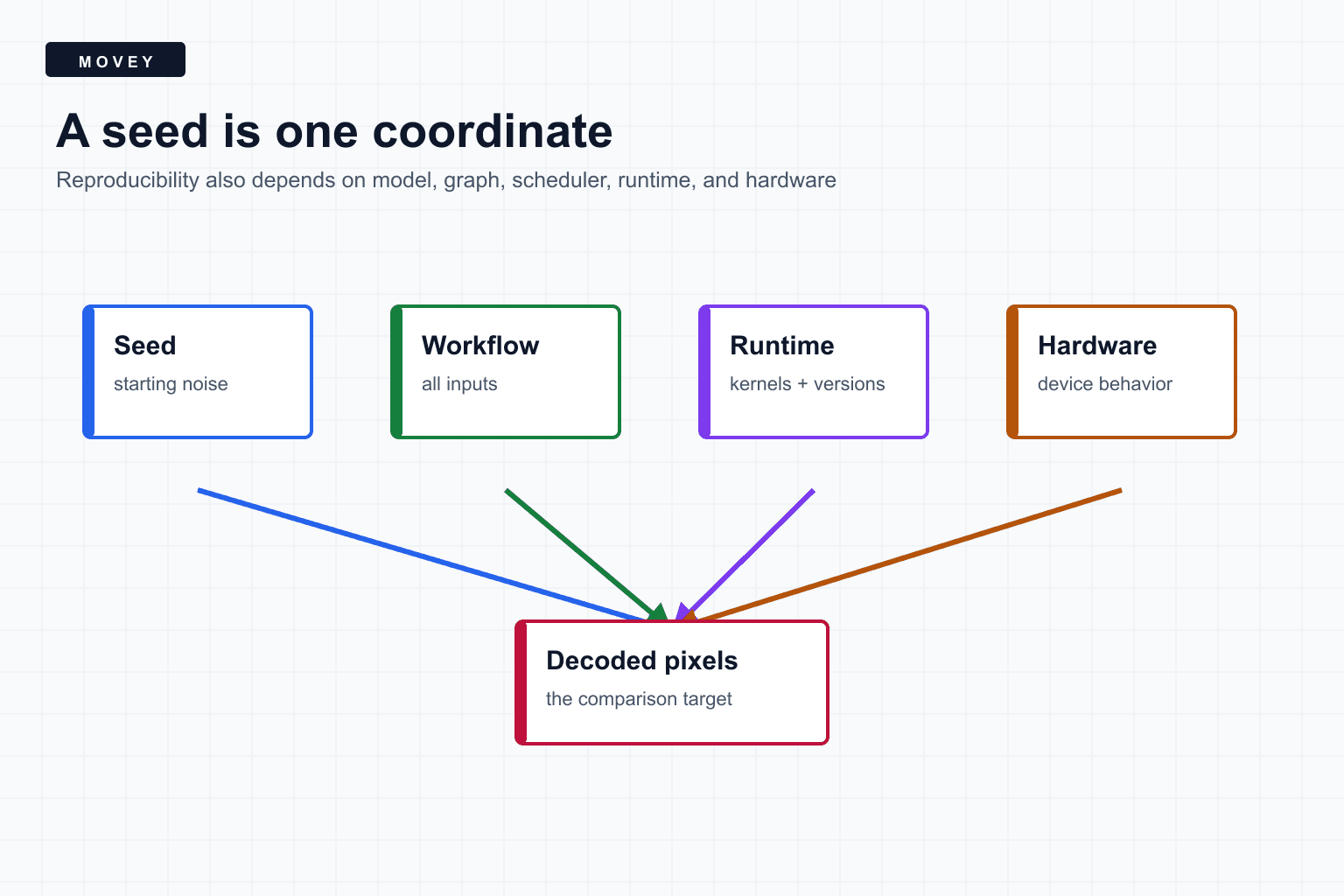
The short answer
A seed selects a repeatable stream of pseudo-random numbers. In a latent image workflow, those numbers usually construct the starting noise. The seed does not contain a hidden picture, and it does not identify a universal image that every model can recover.
A better definition
What the seed actually controls
Pseudo-random number generators turn a compact state into a long sequence of values. Setting the same seed resets the generator to the same state, so calls made in the same order can produce the same random tensor. For text-to-image generation, that tensor becomes the initial noisy latent.
The shape matters. A 768 by 512 latent consumes random values in a different arrangement than a 1024 by 1024 latent. Changing batch size can also change how the random sequence is consumed.
A controlled test-server experiment
We ran Z-Image-Turbo on a Movey test GPU with one prompt, no LoRA, nine steps, CFG 1, the res_multistep sampler, and a 768 by 512 latent. The first two runs used the same seed and settings. The third changed the seed by exactly one. The fourth restored the original seed but changed the scheduler from simple to normal.
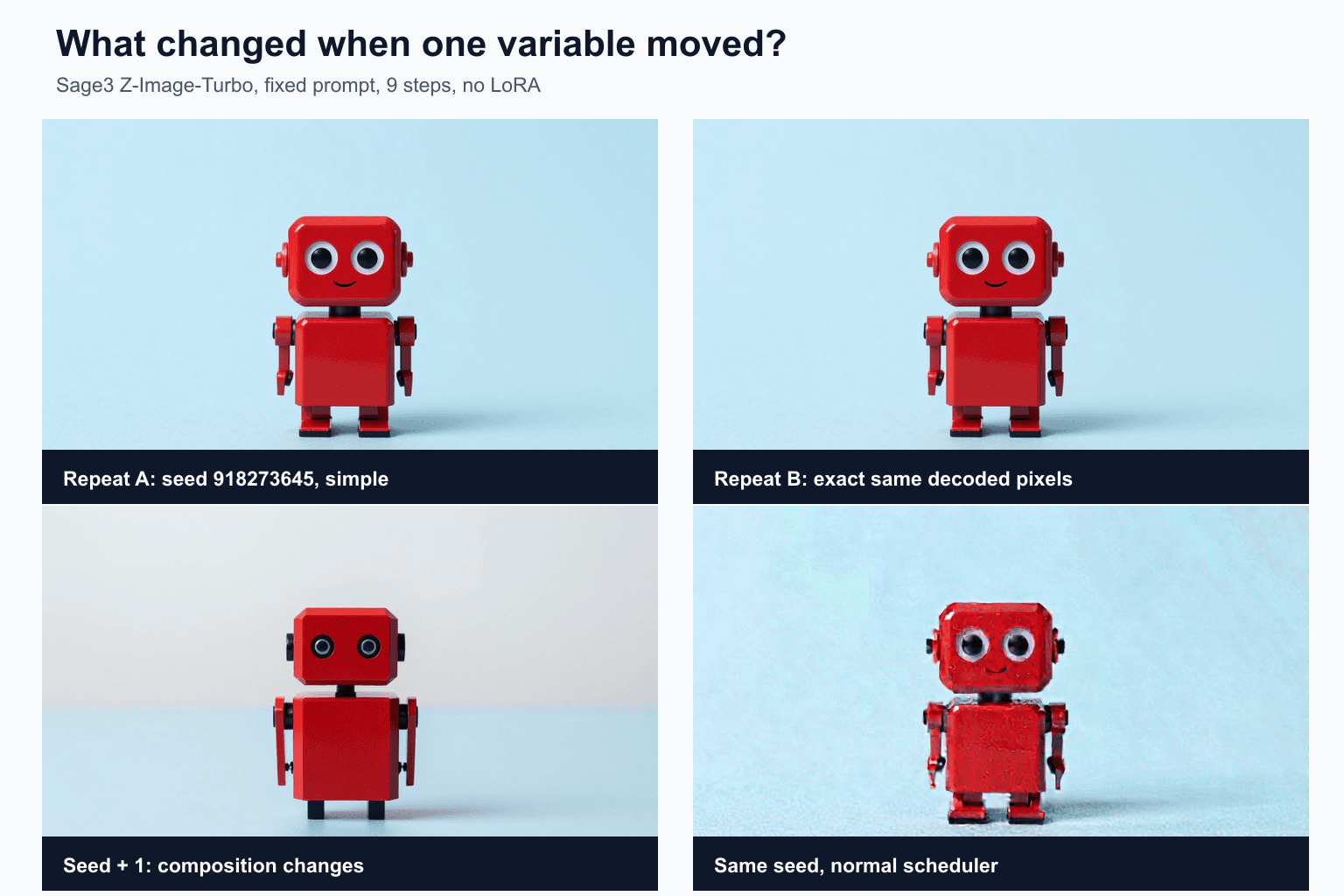
The seed-plus-one result is not a nearby edit. Pseudo-random sequences are designed so neighboring seeds do not produce neighboring noise fields. The normal-scheduler result begins with the original seed but visits a different sequence of noise levels, so its denoising path diverges.
The PNG files differed, but the pixels did not
The two repeated outputs had different SHA-256 hashes as complete PNG files. That initially looked like a failed repeat. We then decoded both images to raw RGB bytes and hashed those buffers. The pixel hashes were identical:
repeat_a file SHA-256: edc1733d...f15998f8f
repeat_b file SHA-256: 213ccef5...36ef6034

repeat_a RGB SHA-256: 25e7d1cf...d3eb16932
repeat_b RGB SHA-256: 25e7d1cf...d3eb16932

exact file match:  false
exact pixel match: true
ComfyUI embeds workflow information in PNG metadata. Repeat B added a second identical ModelSamplingAuraFlow wrapper with shift 3. This changed the graph hash and forced a fresh sampler execution while leaving the effective sampling patch unchanged. The container metadata changed, but the decoded picture did not. The published PNG copies have that embedded workflow metadata removed; the file hashes above refer to the original experiment files, while the recorded pixel hashes remain unchanged. A regression test must say whether it expects the same file bytes, the same decoded pixels, a small numeric tolerance, or only a perceptually equivalent image.
The reproducibility dependency stack
- Prompt bytes and encoding. Whitespace, templates, tokenizer versions, and encoder weights can matter.
- Model files. Record exact filenames and preferably cryptographic hashes.
- Graph structure. Node types, connections, custom-node versions, and hidden defaults belong to the recipe.
- Sampling inputs. Seed, steps, CFG, sampler, scheduler, denoise, shift, dimensions, and batch size.
- Numeric execution. Dtype, quantization, attention implementation, and offloading can alter rounding.
- Runtime. ComfyUI, PyTorch, CUDA, driver, and custom-node versions.
- Hardware. CPU and GPU backends may choose different kernels or accumulation behavior.
This is why sharing only a seed is weak provenance. Sharing a workflow JSON is better. Sharing the workflow, model hashes, environment versions, and input asset hashes is much stronger.
Why GPU work can be nondeterministic
Parallel hardware may perform reductions in different orders. Floating-point addition is not perfectly associative, so a different accumulation order can alter low bits. Some CUDA operations deliberately use nondeterministic algorithms because they are faster.
PyTorch provides torch.use_deterministic_algorithms(True) to select deterministic implementations or raise an error where none is available. Its reproducibility guide still states that complete reproducibility is not guaranteed across releases, commits, platforms, or CPU and GPU execution.
Tiny numeric changes can grow
What a reproduction manifest should record
{
  "model": {
    "file": "z_image_turbo_bf16.safetensors",
    "sha256": "..."
  },
  "text_encoder": "qwen_3_4b.safetensors",
  "vae": "ae.safetensors",
  "prompt_sha256": "...",
  "seed": 918273645,
  "steps": 9,
  "cfg": 1.0,
  "sampler": "res_multistep",
  "scheduler": "simple",
  "width": 768,
  "height": 512,
  "comfyui": "0.28.2",
  "pytorch": "2.9.0+cu128",
  "gpu": "NVIDIA GeForce RTX 3090"
}
For private user inputs, store secure asset identifiers and hashes rather than exposing files or signed URLs in public logs. Provenance should make a run explainable without weakening privacy.
A practical testing method
- Freeze one baseline workflow and input set.
- Run it twice in the same process and compare decoded pixels.
- Run it after model unload and process restart.
- Run it after dependency upgrades and record any divergence.
- Use exact comparison for deterministic paths and documented tolerance for nondeterministic paths.
- Keep one perceptual metric or human review step for changes that are numerically different but visually harmless.
Frequently asked questions
Does the same seed guarantee the same image?
Only inside a sufficiently controlled environment. The model, workflow, prompt encoding, dimensions, scheduler, sampler, runtime, libraries, kernels, and hardware can all affect the result.
Why did two identical images have different PNG hashes?
The PNG containers held different embedded workflow metadata. Their decoded RGB pixel buffers had the same hash. File equality and pixel equality answer different questions.
Should production systems force deterministic algorithms?
Use deterministic execution for regression tests and controlled comparisons when practical. It can reduce performance, and complete reproducibility across releases and devices is not guaranteed.
Sources
The experiment manifest is published with the article assets. These primary references define the reproducibility limits.
- Experiment manifest records the workflow settings, runtime versions, output hashes, and comparison results reported here.
- PyTorch reproducibility notes explain seeds, deterministic algorithms, CUDA behavior, and cross-platform limitations.
- PyTorch deterministic algorithms API lists the behavior and limitations of deterministic mode.
- Z-Image-Turbo model card documents the model family and reference inference setup used for the experiment.
- ComfyUI workflow documentation describes workflows as node graphs and their serialized metadata.
Keep reading
Related articles
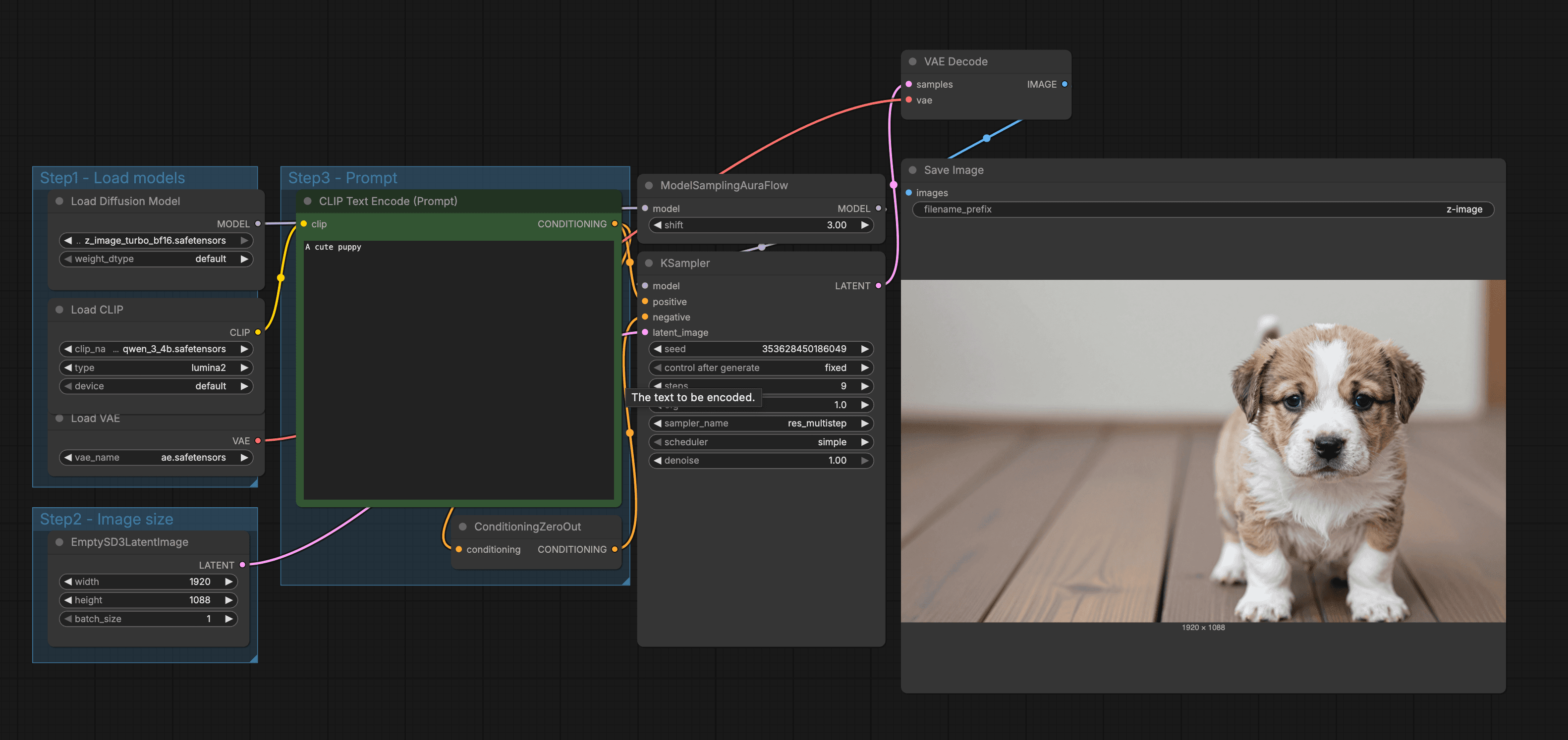
From Prompt to Puppy: How AI Image Generation Works
Learn how an AI image model is trained, how prompts become embeddings, what latent space means, and how samplers turn noise into a final image.

What We Learned Building Long-Form Video with MiniMax H3
A practical MiniMax H3 long-form video guide covering scene assembly, continuity, context handoffs, reference scheduling, native audio, duration control, and quality review.