
MiniMax H3 Reference Workflows: Character Sheets in Practice
How to combine character views into one reference image, separate identity from composition, connect the inputs in ComfyUI, and know when simpler image-to-video is enough.
In this article

The short answer
MiniMax H3 can condition a video on images, video clips, audio clips, and text. That flexibility makes the workflow powerful, but it also creates a basic design problem: which reference should explain identity, which should explain composition, and which should explain motion?
A useful technique is to concatenate front, three-quarter, profile, and full-body views of one character into a single image. H3 still receives an ordinary picture reference, but the picture now acts as a compact identity board. It consumes one reference slot and one <Picture 1> tag. The tradeoff is resolution: each panel receives fewer pixels after the sheet is resized.
Use a sheet deliberately
1. What the H3 reference workflow actually receives
The official H3 model card allows up to nine images, three videos, and three audio clips, with at most twelve files in a mixed request. Video and audio references have duration limits. ComfyUI's nativeMiniMaxH3ReferenceToVideo node exposes those inputs dynamically and connects them to numbered tags in the prompt.
<Picture 1>refers to the first connected image.<Picture 2>refers to the second connected image.<Video 1>refers to the first video reference.<Audio 1>refers to the first audio reference.
The numbering is positional. If a workflow filters out an unused reference, the remaining prompt tags must be rebuilt to match the new order. A stale tag can point at the wrong person or object without producing a clear error.
2. Build one character sheet from several views
The example below shows Mara Venn, a fictional adult character created for this guide. The four panels keep the same silver-streaked bob, face, teal field jacket, charcoal shirt, trousers, boots, and body proportions. The front and three-quarter views carry facial detail. The profile explains the silhouette. The full-body panel explains clothing and scale.
The concatenation can happen before upload or inside ComfyUI. A typical graph loads each image, crops or pads it to a common aspect ratio, resizes every panel to the same height, and joins them horizontally. The output of that image function connects to one H3 picture input.
front  -> resize -> |
three-quarter -> resize -> | concatenate horizontally -> <Picture 1>
profile -> resize -> |
full body -> resize -> |
Matching panel dimensions matters. If one portrait occupies half the canvas while the full-body view becomes a narrow strip, the sheet quietly tells the model that the portrait is more important. Use equal panels unless that weighting is intentional.
3. Choose between one sheet and separate images
| Approach | Best when | Main cost |
|---|---|---|
| One stitched sheet | Several views describe one character and slots are limited | Fewer pixels per view after resizing |
| Separate picture inputs | Fine face, garment, or product detail is critical | More slots and more prompt bookkeeping |
| Approved composition frame | The exact subjects and staging already exist in one image | Hidden angles and unseen details remain underspecified |
| Short video reference | Motion style, camera movement, or performance timing matters | Old action or audio can leak into the new shot |
There is no prize for filling every slot. More conditioning can make the request harder to interpret. Start with the approved composition frame if it already contains the needed information, then add only the missing evidence.
4. Wire the sheet into a ComfyUI workflow
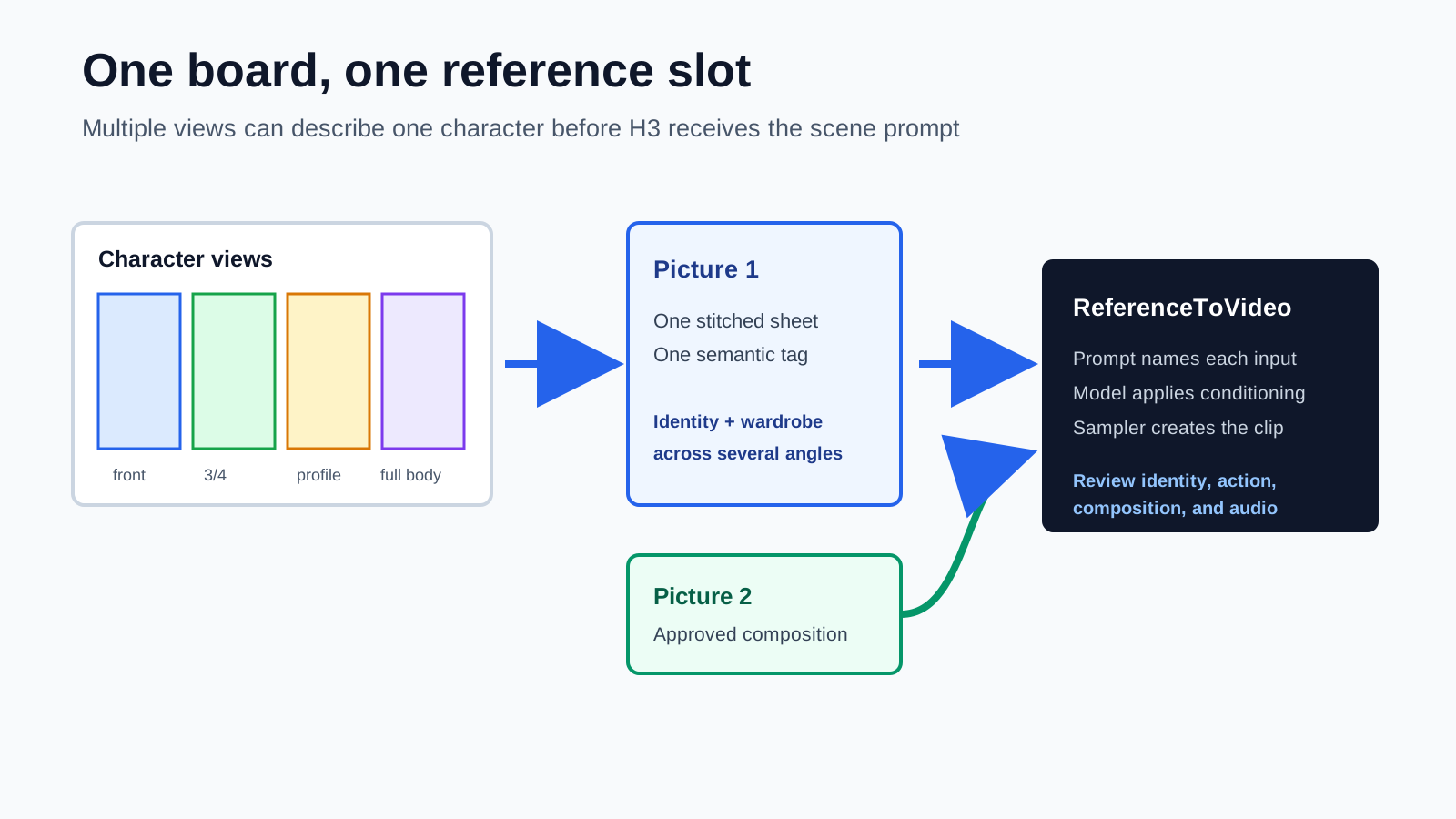
- Load and normalize the views. Crop, pad, and resize them to equal panel dimensions.
- Concatenate the panels. Join them into one RGB image, usually from left to right.
- Connect the board. Send the joined image to the first picture input.
- Add composition separately. Use a second picture input when staging must follow an approved frame.
- Describe the roles. Tell the prompt that every panel in Picture 1 shows the same person.
- Generate and review. Check face, body, wardrobe, action, object count, and background independently.
The H3 node also offers a reference-image sizing choice. A larger retained reference can preserve more detail but takes more processing. Match the setting to the information you need. A small wardrobe color cue is less demanding than a face, logo, or piece of jewelry that must remain legible.
5. Keep composition and identity as separate jobs
We tested a two-character scene with isolated identity references and an approved composition frame. The source images below are intentionally different: the portraits explain who the characters are, while the wide frame explains where they stand and what the scene contains.

Character reference 1
Identity, face, hair, and white costume.

Character reference 2
Identity, face, hair, and dark costume.

Composition frame
Subject count, placement, setting, and camera.
This separation is especially useful when a scene contains two people. Giving each character an isolated input makes prompt phrases such as “the white-haired woman” and “the blond man” easier to bind. A group photo can work, but it also supplies bystanders, background, and spatial relationships that may be copied unintentionally.
6. Extra references help only when they add missing information
We ran the same short scene in two ways. The first route animated the approved composition directly. The second route supplied the composition plus both isolated identity references through H3's reference workflow. Both preserved the two characters, wardrobe, courtyard, compass, and overall arrangement.
The direct image-to-video run finished in about 557 seconds in this local test. The reference-conditioned run took about 676 seconds. Their measured opening-frame errors and motion levels were close. The practical conclusion is not that references failed. It is that the composition frame already contained the identities clearly enough, so the extra conditioning had little missing information to contribute.
When references earn their cost
7. Give every reference a written job
A good reference prompt does not merely list tags. It states what to borrow, what to ignore, and how the inputs relate. This is particularly important for a concatenated sheet because H3 could otherwise interpret its panels as several people in one scene.
<Picture 1> is one character reference board.
All four panels show the same adult woman, Mara.
Use her face and silver-streaked black bob from panels 1 to 3.
Use her teal field jacket, dark trousers, boots, and proportions from panel 4.
Do not create four people. Do not copy the neutral studio background.

<Picture 2> is the approved scene composition.
Preserve its camera height, subject placement, doorway, and evening light.
Place Mara in the left subject position and animate one clear action:
she closes the notebook, looks toward camera, then steps through the doorway.
This reads less like decorative prose and more like a production brief. Each sentence can be checked in the output. If the model creates four people, the board relationship was not respected. If it copies the neutral background, the exclusion was not respected. If the action repeats, the scene state needs revision.
8. Common failure modes and fixes
| What you see | Likely cause | What to try |
|---|---|---|
| Several copies of one character | The sheet was read as a group scene | State that all panels show one person and that only one person appears |
| Correct face, wrong clothing | Portrait panels dominate the board | Increase full-body panel clarity or add clothing as a separate reference |
| Blended identities | Multiple people share one sheet or vague tags | Use one sheet per character and describe each role explicitly |
| Portrait background appears in the scene | The reference includes strong scenery | Use an isolated reference and say which background to ignore |
| Fine detail disappears | Each sheet panel is too small | Use fewer panels, a larger reference setting, or separate images |
| Correct still frame, weak action | Conditioning is overloaded with appearance | Reduce references and write one bounded action with a clear ending |
Review at least the opening, midpoint, and final frame, then watch the clip at normal speed with sound. A reference workflow succeeds only when the video works as a shot. A perfect face in a frozen or incoherent scene is not a production win.
Frequently asked questions
Is a character sheet an official MiniMax H3 input type?
No. H3 receives an ordinary reference image. The workflow concatenates several views into that image before generation. It is a practical packing technique, not a separate character-sheet mode.
Should every view be a separate picture reference?
Use separate images when fine facial or product detail matters and reference slots are available. Use a stitched sheet when several views belong to one identity and keeping them under one prompt tag is more valuable than maximum pixels per view.
Can one sheet contain several characters?
It can, but it is harder to describe and easier for the model to blend identities. One sheet per character is the safer default when identity separation matters.
Does reference conditioning always beat image-to-video?
No. If an approved first frame already contains the correct faces, wardrobe, objects, and composition, image-to-video can be faster and more direct. Extra references are most useful when the first frame does not show an angle, product detail, or identity clearly enough.
Sources
Primary documentation used to verify H3 input limits, prompt tags, reference ordering, and native ComfyUI behavior.
- MiniMax H3 model card documents the supported image, video, and audio reference counts and duration limits.
- ComfyUI MiniMax H3 guide provides the official native workflow examples and model setup.
- ComfyUI H3 node source shows the dynamic reference inputs, tag ordering, and image sizing behavior.
Keep reading
Related articles
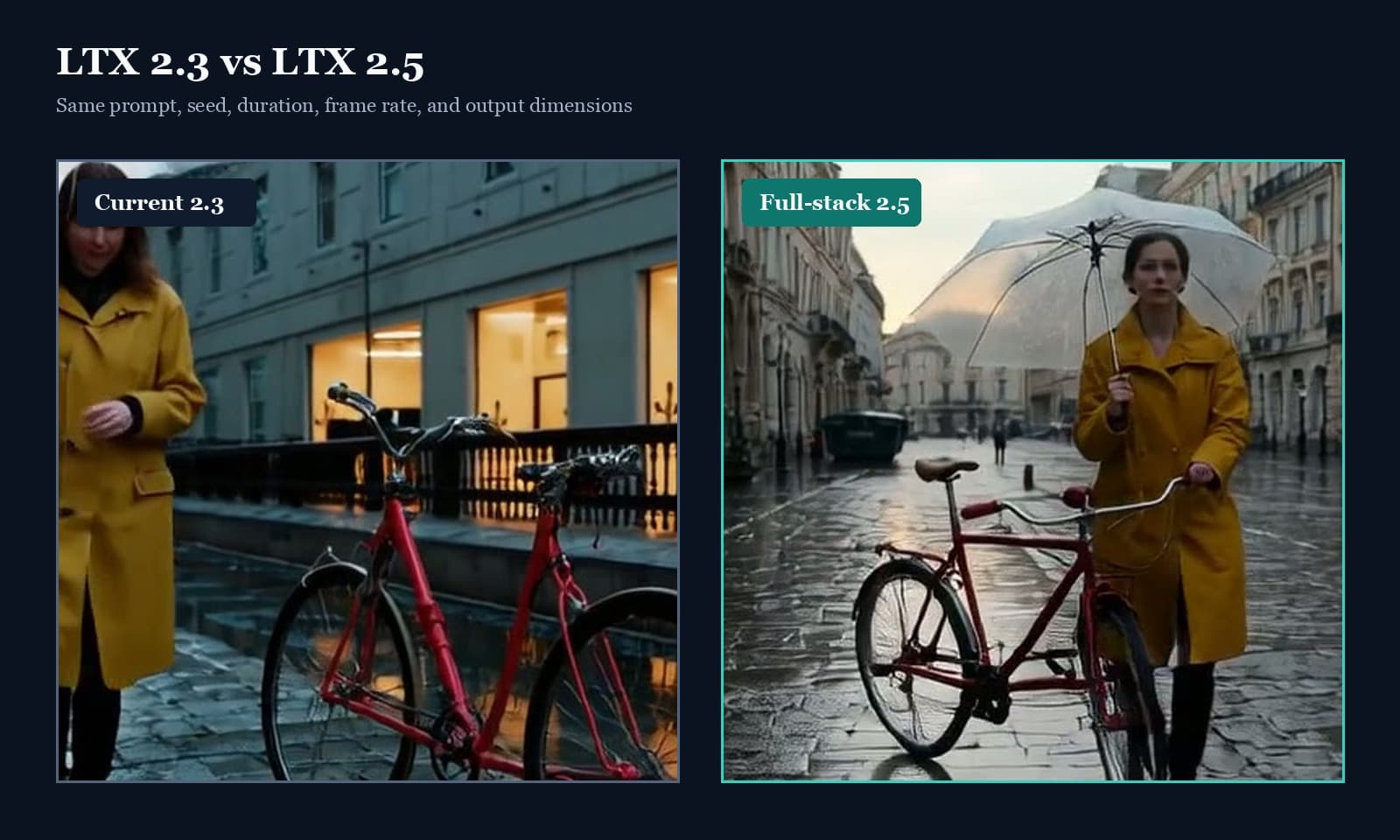
LTX 2.5 vs 2.3: Quality, Speed & Audio Test
LTX 2.5 vs 2.3 tested with fixed seeds: compare prompt adherence, scene continuity, speed, native audio, and the full ComfyUI upgrade path.
What We Learned Building Long-Form Video with MiniMax H3
A practical MiniMax H3 long-form video guide covering scene assembly, continuity, context handoffs, reference scheduling, native audio, duration control, and quality review.