
LTX 2.5 vs 2.3: Quality, Speed & Audio Test
Two repeatable prompts show where the complete LTX 2.5 workflow improved action, scene continuity, and multi-shot direction, and where its audio still failed.
In this article
The short answer
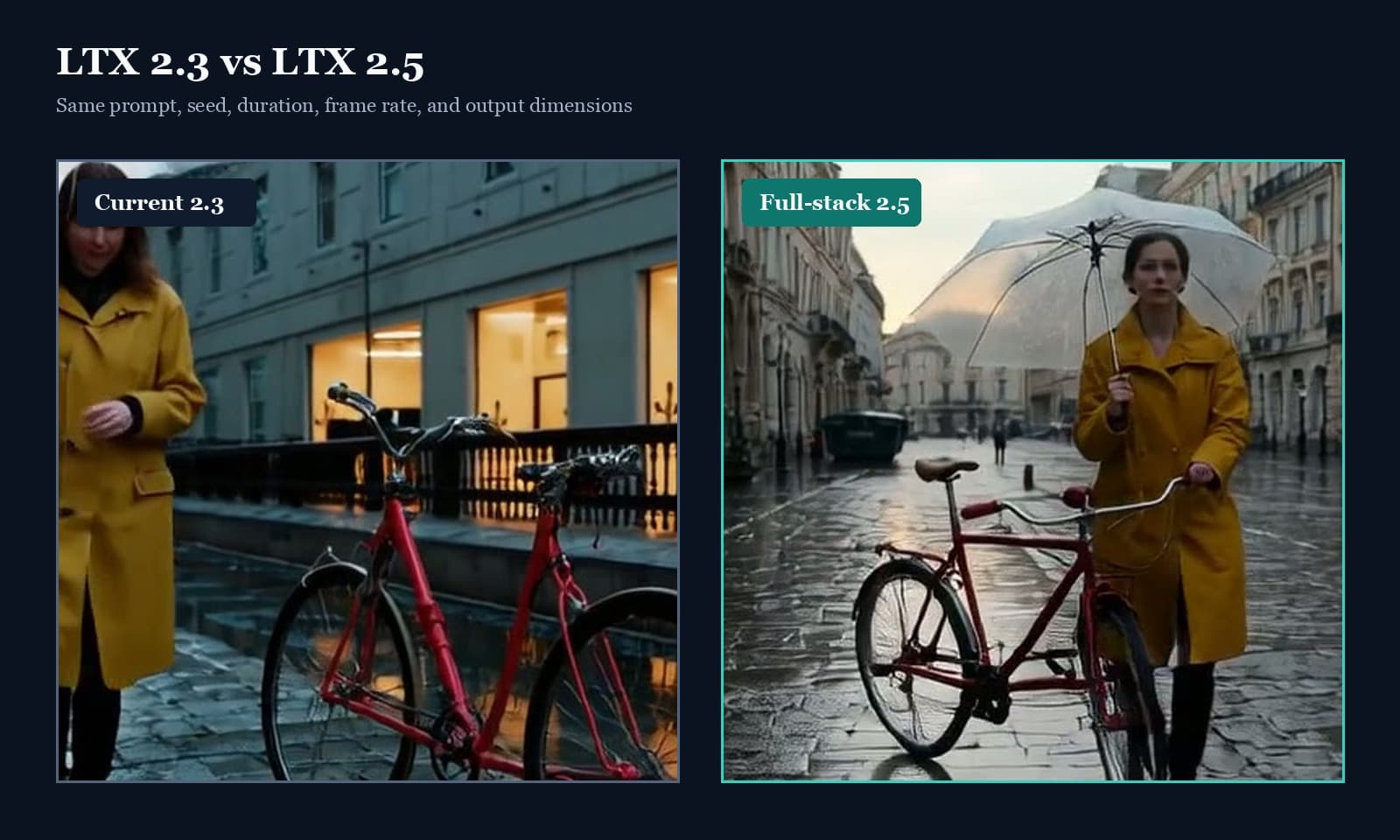
LTX 2.5 won these fixed-seed tests on prompt adherence and scene continuity while staying in the same practical runtime range as LTX 2.3. The umbrella made the difference easy to see: 2.3 began with it already open, while 2.5 showed the woman lifting and opening it as requested. In the longer test, 2.5 also retained the rainy station, bicycle, bench, woman, and arriving train instead of gradually replacing the scene.
Those are encouraging results, not a universal verdict. We tested two prompts, and each version ran through its own compatible workflow. The comparison tells us how the complete 2.3 and 2.5 routes behaved on these jobs. It does not isolate one architectural change or predict every prompt.
Bottom line
1. How we compared the two versions
Both versions ran on the same NVIDIA RTX 3090. Outputs were 768 by 384 at 24 frames per second. The short case lasted five seconds and the multi-shot case lasted twelve seconds. Both used the same fixed seed. We retained the two-stage structure: generate at half resolution, upscale in latent space, then complete a short refinement stage before decoding video and audio.
The 2.3 result used our established LTX 2.3 generation workflow. The 2.5 result used the official 2.5 transformer, Gemma 4 text encoder with LTX projection, audio VAE, convolutional video VAE, spatial upscaler, and distilled sigma schedule. This is therefore a workflow-level comparison, not a test in which only the transformer weights changed.
A fixed seed makes each route repeatable, but it does not create identical starting conditions across two different model stacks. Each stack interprets the random numbers through different learned weights, conditioning, and sampling code. Think of the seed as a numbered starting ticket, not a shared hidden video.
Fixed single-shot action
A woman in a mustard-yellow raincoat stands beside a red vintage bicycle.
She lifts a folded transparent umbrella, opens it once, then begins walking
the bicycle toward the camera. Preserve bicycle geometry, colors, identity,
rain, and exposure. Quiet rain and city ambience; no speech.| Workflow | Observed wall time |
|---|---|
| LTX 2.3, five-second shot | 73 seconds |
| LTX 2.5, five-second shot | 49 seconds |
| LTX 2.3, twelve-second sequence | 61 seconds |
| LTX 2.5, twelve-second sequence | 59 seconds |
These are single observed runs, not a cold-cache speed benchmark. Loaded components and runtime state can change timing. The useful conclusion is modest: 2.5 did not introduce a dramatic slowdown in these tests.
2. The short action test separated motion from prompt adherence
Watch the umbrella first. The 2.3 clip contains movement, but it skips the opening action. In the 2.5 clip, the canopy unfolds while the red bicycle and rainy street remain recognizable. That is prompt adherence, not simply more motion.
Then watch the bicycle. Wheels, frames, and spokes are difficult because small geometric errors accumulate from frame to frame. Neither result is perfectly rigid, but 2.5 keeps the object readable while the requested human action takes place.
3. Timed multi-shot direction improved more dramatically
The longer prompt specified three four-second phases. First the woman walks the red bicycle toward a blue bench in a rainy outdoor station. Next she stops the bicycle and opens the umbrella. Finally a train arrives while the camera moves to a closer front view. Identity, object count, rain, colors, and exposure were locked throughout the text.
LTX 2.5 did not create three perfectly edited hard cuts. It evolved the angle and framing more fluidly. Even so, the requested chronology is visible and the scene does not abandon its own world.
- Environment: 2.5 keeps the wet outdoor platform; 2.3 drifts into a dry green corridor.
- Object continuity: the bicycle, bench, umbrella, and train remain part of one scene in 2.5.
- Editing: 2.5 treats the phases as a flowing camera sequence, not three clean editorial cuts.
4. Why LTX 2.5 needs its matching components
LTX 2.5 is not a drop-in transformer replacement for a 2.3 workflow. Its Gemma 4 adapter produces a different text-conditioning structure, so the transformer and text encoder need a runtime that understands their shared format.
The same principle applies to the video VAE, audio VAE, upscaler, scheduler, and nodes. Together they form one versioned workflow. Mixing pieces from different releases can produce an error or, worse, a result that no longer represents either model fairly.
Components used in this LTX 2.5 comparison
transformer: official 22B distilled INT8 ConvRot
text: Gemma 4 12B with LTX 2.5 projection
video VAE: LTX 2.5 convolutional VAE
audio VAE: LTX 2.5 audio VAE
upscaler: LTX 2.5 spatial x2
runtime: current ComfyUI with Gemma 4 LTX adapter support
5. Native audio remains the largest caveat
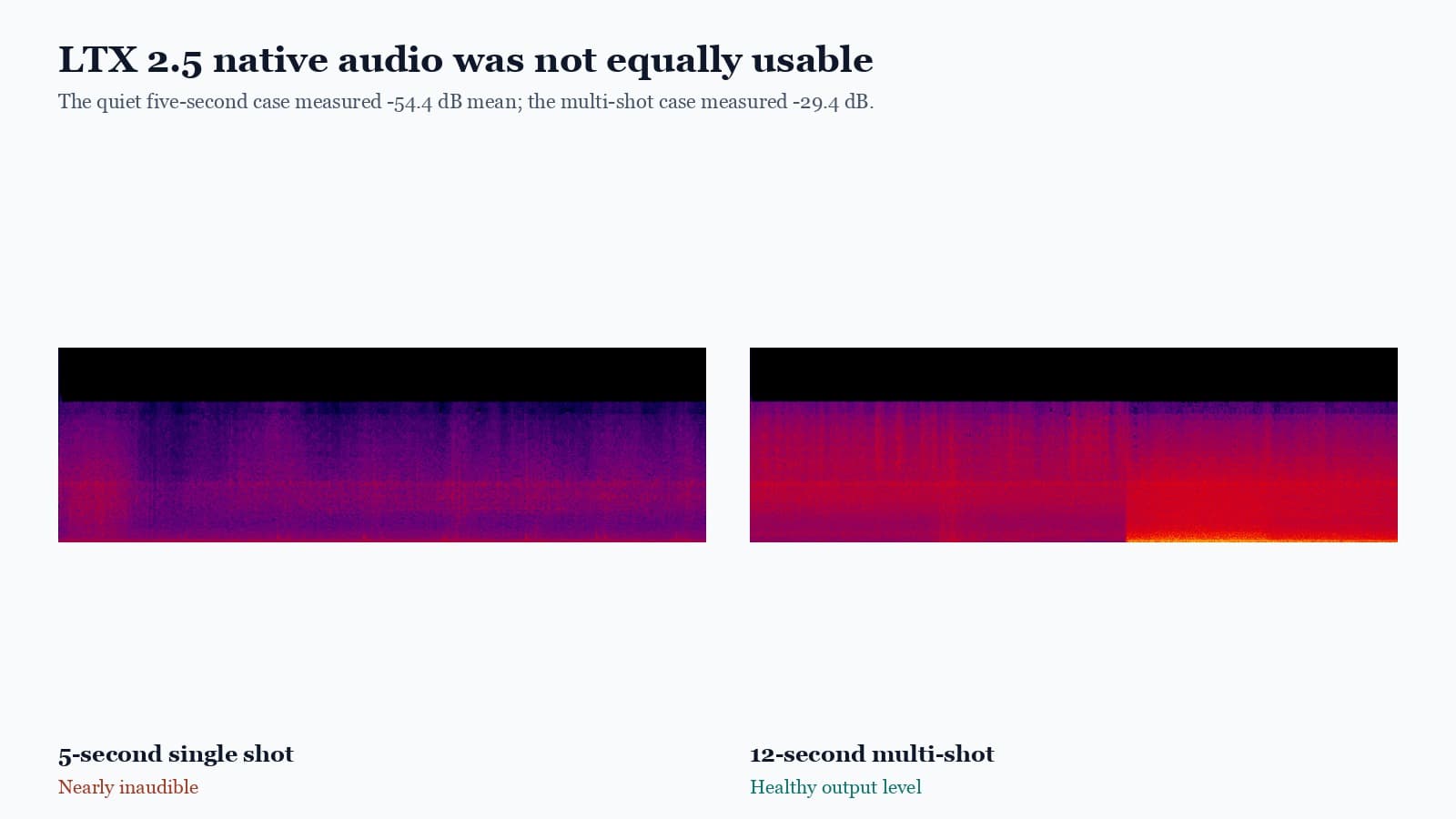
The 2.5 multi-shot output contained audible rain and station ambience. The five-second single-shot outputs were technically valid stereo tracks but almost inaudible. The convolutional and DiffVAE video lanes produced the same very quiet audio, so the video decoder was not the cause.
Normalization can raise useful quiet ambience, but it cannot turn silence or meaningless noise into a good soundtrack. Video and audio should therefore be reviewed separately. A successful render does not prove that both media streams are useful.
6. DiffVAE works, but should remain an optional quality path
The convolutional VAE is the clearer default at this output size. It is lighter and its result was already strong. DiffVAE makes more sense as an optional quality choice after comparisons at larger output sizes show a visible benefit.
7. Practical guidance
- Treat 2.5 as a complete stack. Verify the runtime, nodes, text adapter, VAEs, upscaler, and schedule together.
- Choose by intent. Keep low-level transformer and sigma choices out of the normal creative workflow.
- Check sound separately. Video quality and audio quality can fail independently even when they are generated together.
- Keep a known route available. Existing projects should not silently inherit a new model stack.
- Test more than attractive prompts. Dialogue, first-last-frame control, image guidance, and longer timelines can expose different failures.
Our two examples justify continued use and broader testing of LTX 2.5. They do not justify calling 2.3 obsolete. The more defensible decision is to make 2.5 available where the full stack and output checks are in place, then expand its role as a larger prompt suite confirms the result.
For controlled scene planning rather than checkpoint selection, start in Movey Director. Use the image-to-video workflow when an approved source frame should anchor the shot.
Frequently asked questions
Can LTX 2.5 replace LTX 2.3 by changing one checkpoint name?
No. The working LTX 2.5 route used its official transformer, Gemma 4 text adapter, audio VAE, video VAE, spatial upscaler, sampling schedule, and a current ComfyUI runtime. A transformer-only hybrid is not a valid comparison or reliable upgrade.
Did LTX 2.5 beat LTX 2.3 in this test?
Yes, on the two fixed prompt cases. It performed the requested umbrella action more clearly and followed the three-part station sequence with much better environmental and object continuity. The result does not prove that 2.5 wins every prompt or workflow.
Is LTX 2.5 always better than LTX 2.3?
These two examples favored LTX 2.5, but they do not cover every prompt or workflow. LTX 2.3 remains a useful known route, especially for existing projects, while broader testing establishes where 2.5 is consistently stronger.
Which LTX 2.5 video VAE should be the default?
The convolutional VAE is the practical default in this workflow because it is lighter and already produced a strong result. The full DiffVAE worked, but its visible improvement was subtle at the tested 768 by 384 output size.
Sources
Official model, workflow, runtime, and license sources used to construct and interpret the benchmark.
- Lightricks LTX 2.5 model repository contains the official model card, files, and license for the tested release.
- Lightricks LTX-2 repository documents the official model family, inference code, and supported generation modes.
- Official ComfyUI-LTXVideo nodes provide the LTX-specific latent, conditioning, upscaling, and audiovisual workflow components.
- ComfyUI source repository contains the current Gemma 4 LTX adapter support required by the full-stack graph.
Keep reading
Related articles
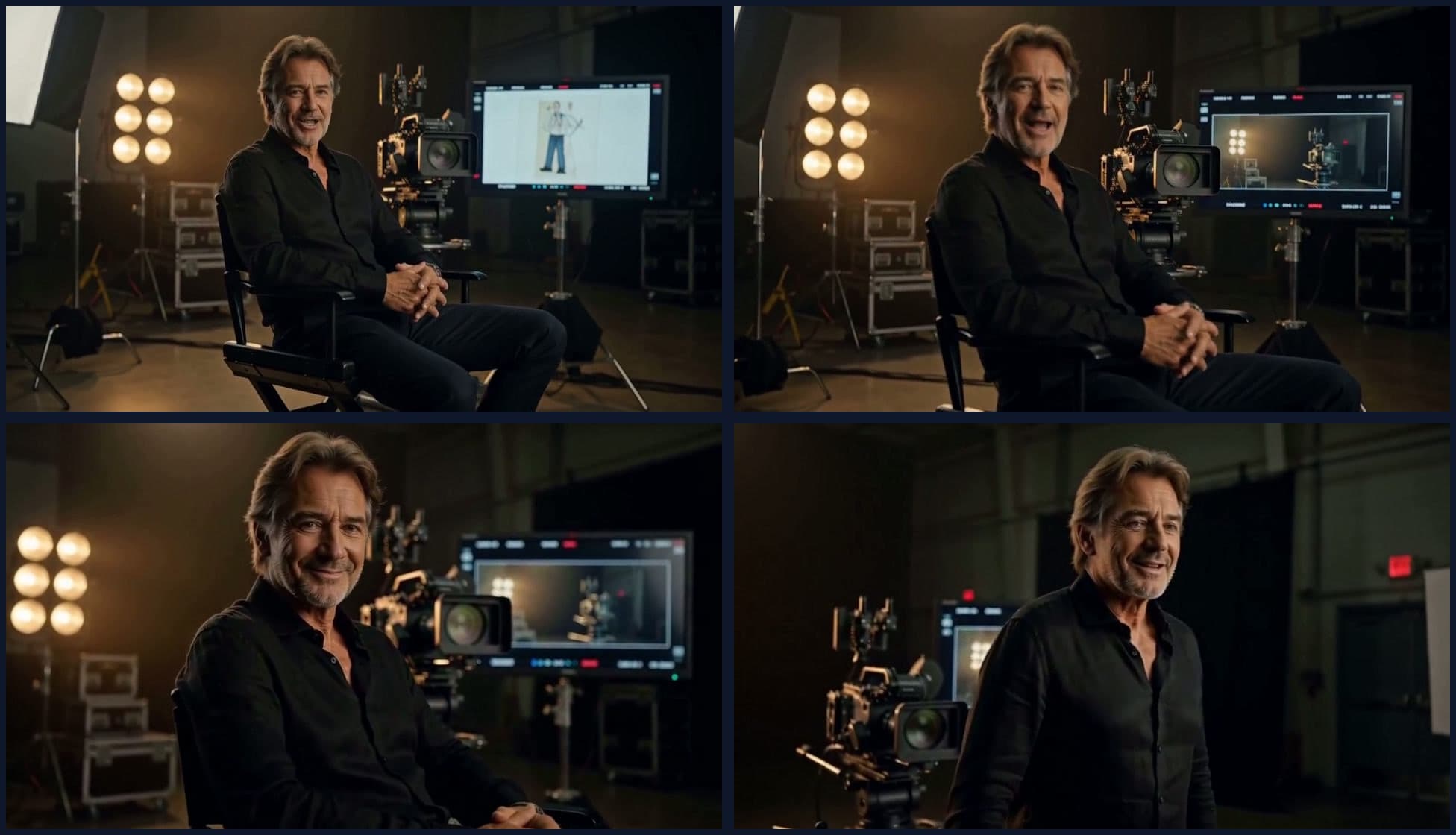
What We Learned Building Long-Form Video with MiniMax H3
A practical MiniMax H3 long-form video guide covering scene assembly, continuity, context handoffs, reference scheduling, native audio, duration control, and quality review.
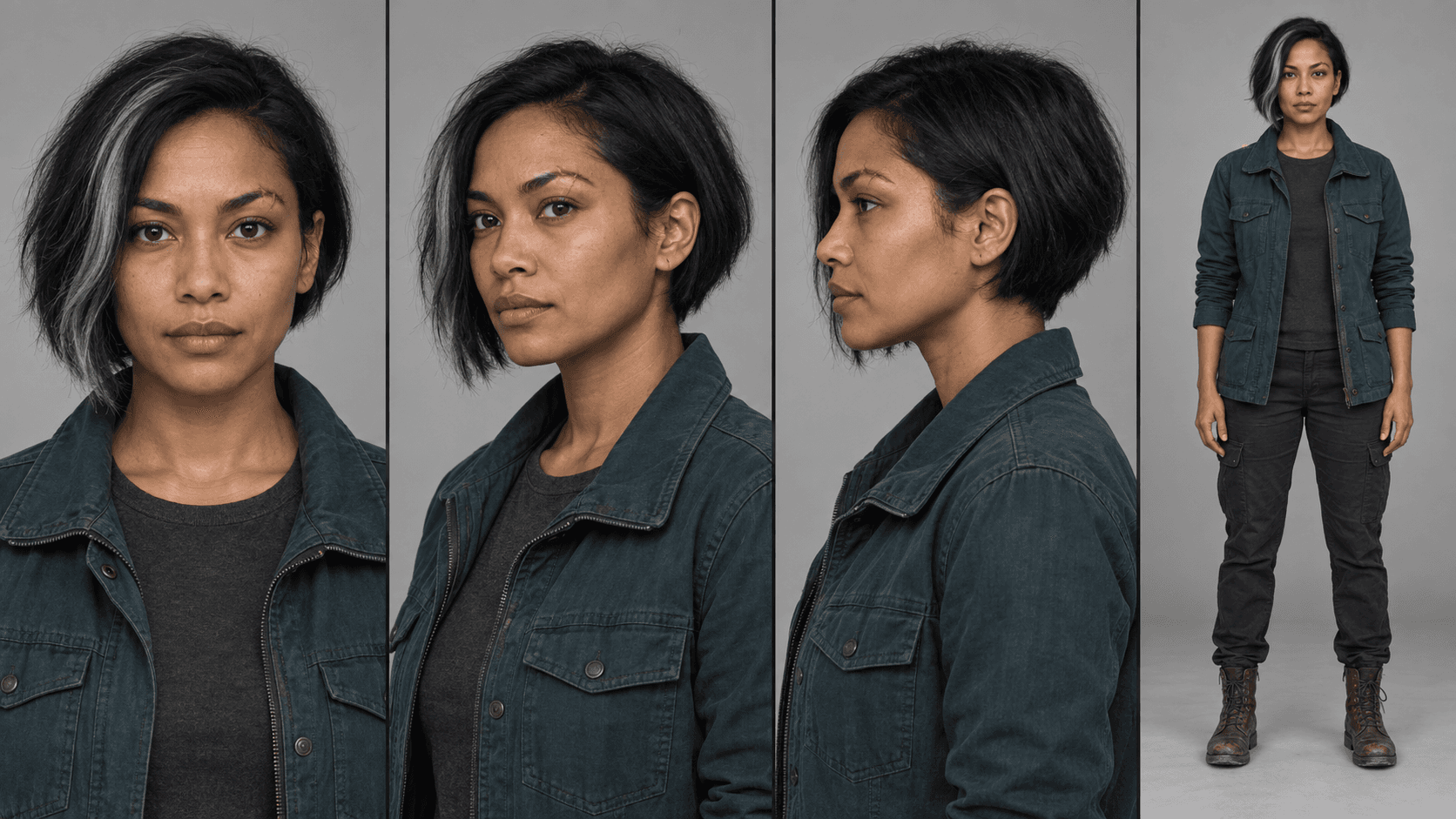
MiniMax H3 Reference Workflows: Character Sheets in Practice
Build MiniMax H3 reference-to-video workflows with concatenated character sheets, composition frames, numbered prompt tags, controlled examples, and practical failure checks.