
From Click to Clip: Inside an AI Generation Job
How a browser request becomes a durable job, enters a queue, reaches a GPU, reports progress, and returns a production-owned result.
In this article
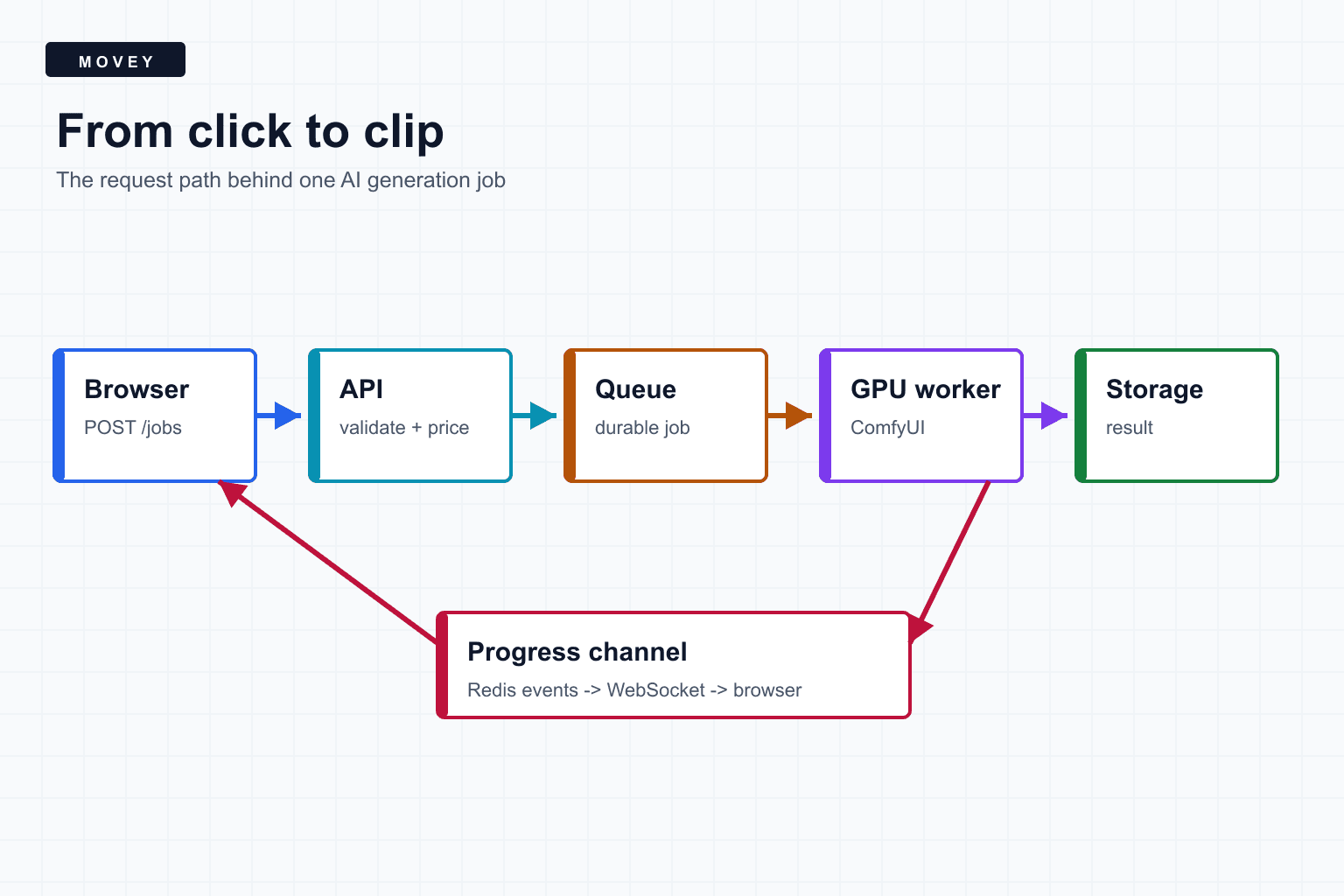
The short answer
Clicking Generate should not mean that one web request performs the entire generation. A production system turns that click into a durable job, returns an identifier, schedules the work, streams progress, stores the result, and lets the user return later.
The central design rule
Movey uses this separation because creative generation is both expensive and slow compared with ordinary API work. A database lookup can finish inside one request. A video workflow may wait for a GPU, load tens of gigabytes of weights, generate frames, encode media, and upload an output.
1. The request boundary
The first task is not generation. It is deciding whether the request is valid and safe to enqueue. The API authenticates the user, validates dimensions and file references, resolves the public workflow into an internal workflow version, calculates or confirms cost, and assigns an idempotency key.
Inputs should be normalized here. A width supplied as a string, an expired upload reference, or an unsupported frame count should fail before it occupies a queue slot. Provider-specific details should stay behind an adapter so the public request contract does not change when the execution backend changes.
POST /api/jobs
{
  "workflow": "image-to-video",
  "input_asset_id": "asset_123",
  "prompt": "Slow camera push toward the watch",
  "idempotency_key": "create-scene-7-take-2"
}

202 Accepted
{
  "job_id": "job_456",
  "status": "queued"
}
The useful response is an acknowledgment, not the finished movie. HTTP status 202 communicates that work was accepted for asynchronous processing.
2. The durable job record
Before queueing, the system writes a job record. That record is the stable source of truth when a browser disconnects, a worker restarts, or a WebSocket message is missed.
- Who owns the job and who may read its progress or output.
- Which public workflow and internal workflow version were selected.
- The current state, such as queued, running, completed, failed, or cancelled.
- Input asset references, normalized settings, and model provenance.
- Cost reservation, final usage, and refund state where billing applies.
- Attempt count, selected execution server, prompt ID, and safe failure details.
The record should describe a job without turning logs into a second private database. Raw user prompts, signed media URLs, authentication headers, and private assets do not belong in broad operational logs. Identifiers and state transitions are usually enough to debug the pipeline.
3. The queue and worker
A queue absorbs the mismatch between web traffic and limited GPU capacity. Ten users can submit work at once even when only two GPU slots are available. The queue preserves order or priority while workers claim jobs as capacity becomes available.
Movey uses Redis-backed job infrastructure around its workers. RQ describes a job as a Python function call stored for asynchronous execution and supports job status, results, registries, and retries. The important part is not the brand of queue. It is that accepting work and executing work happen in separate processes.
A queue is not just a waiting room
A worker claim should have a lease or heartbeat. If the worker disappears, the system needs enough information to decide whether the attempt can be retried, reconciled, or marked indeterminate.
4. The GPU execution layer
The worker prepares the concrete workflow: it resolves model filenames, uploads or maps inputs, changes dimensions, inserts seeds and prompts, and selects an eligible ComfyUI server. It then submits API-format workflow JSON and receives a ComfyUI prompt ID.
ComfyUI itself validates the graph and places it on its execution queue. During execution it emits messages such as execution_start, executing, progress, cached-node notices,execution_success, and execution_error. It can also emit executed when a node returns a UI update, but that message is not a universal per-node completion event. The application worker translates these provider-level events into stable product states.
This translation matters. Node 42 finishing is useful for debugging, but a user needs language such as “Generating motion” or “Encoding result.” Product states should remain understandable if node IDs or workflow internals change.
5. Progress and result ownership
Progress travels on a second path from the worker to the browser. In Movey’s architecture, workers publish safe job events, the API forwards them to authorized WebSocket clients, and the UI also performs slower status refreshes as a recovery path.
Completion is more than “the sampler stopped.” The system still has to locate the correct output, verify that it exists, copy or fetch it from the execution host, store it under durable application ownership, extract media metadata, and update the job transactionally.
This is where multi-server systems often fail. A remote GPU may report a local file path that does not exist on the API server. Output resolution needs an explicit locality strategy, not an assumption that every process shares one filesystem.
6. Failure paths are part of the main path
A robust job runner names failure phases. Validation failure, queue timeout, model load failure, GPU out-of-memory, WebSocket disconnect, missing output, upload failure, and post-processing failure have different retry and billing consequences.
- Validation failures should not enqueue or reserve generation cost.
- A WebSocket disconnect should fall back to status polling, not cancel GPU work.
- An out-of-memory error may be retryable on a larger or emptier server.
- A timeout after submission is indeterminate until ComfyUI history is checked.
- A completed generation with a failed copy step should resolve the existing output, not generate again.
- Reservations and server slot counters must release exactly once on every terminal path.
Production checklist
- Return a durable job ID quickly.
- Make create requests idempotent.
- Persist state before publishing transient progress.
- Separate application jobs from provider prompt IDs.
- Record workflow and model versions.
- Use server reservations with exactly-once release.
- Keep live progress and polling recovery paths.
- Reconcile indeterminate attempts before retrying expensive work.
- Store outputs under application ownership.
- Redact private prompts, credentials, and signed URLs from logs.
Frequently asked questions
Why not keep the HTTP request open until generation finishes?
AI jobs can take seconds or minutes, outlive a browser tab, and fail independently of the web request. Returning a durable job ID lets the API release the connection while a worker continues safely.
Is ComfyUI the queue in this architecture?
ComfyUI has its own execution queue, but a production application usually needs an application-level job record and queue as well. That outer layer owns users, pricing, retries, server selection, progress, and durable results.
What should be stored before GPU work starts?
Store the authenticated owner, normalized inputs, workflow version, cost decision, idempotency key, job state, and enough provenance to reproduce or explain the run without storing unnecessary private prompt data in logs.
Sources
Primary documentation used to verify the queue, ComfyUI, and WebSocket behavior described above.
- ComfyUI Cloud API overview describes asynchronous workflow submission, prompt IDs, WebSocket monitoring, and result retrieval.
- ComfyUI server routes documents prompt validation, queue routes, history, and the WebSocket endpoint.
- RQ job documentation covers queued Python work, job status, results, and retries.
- RFC 6455 defines the WebSocket protocol used for the browser progress channel.
Keep reading
Related articles

What We Learned Building Long-Form Video with MiniMax H3
A practical MiniMax H3 long-form video guide covering scene assembly, continuity, context handoffs, reference scheduling, native audio, duration control, and quality review.
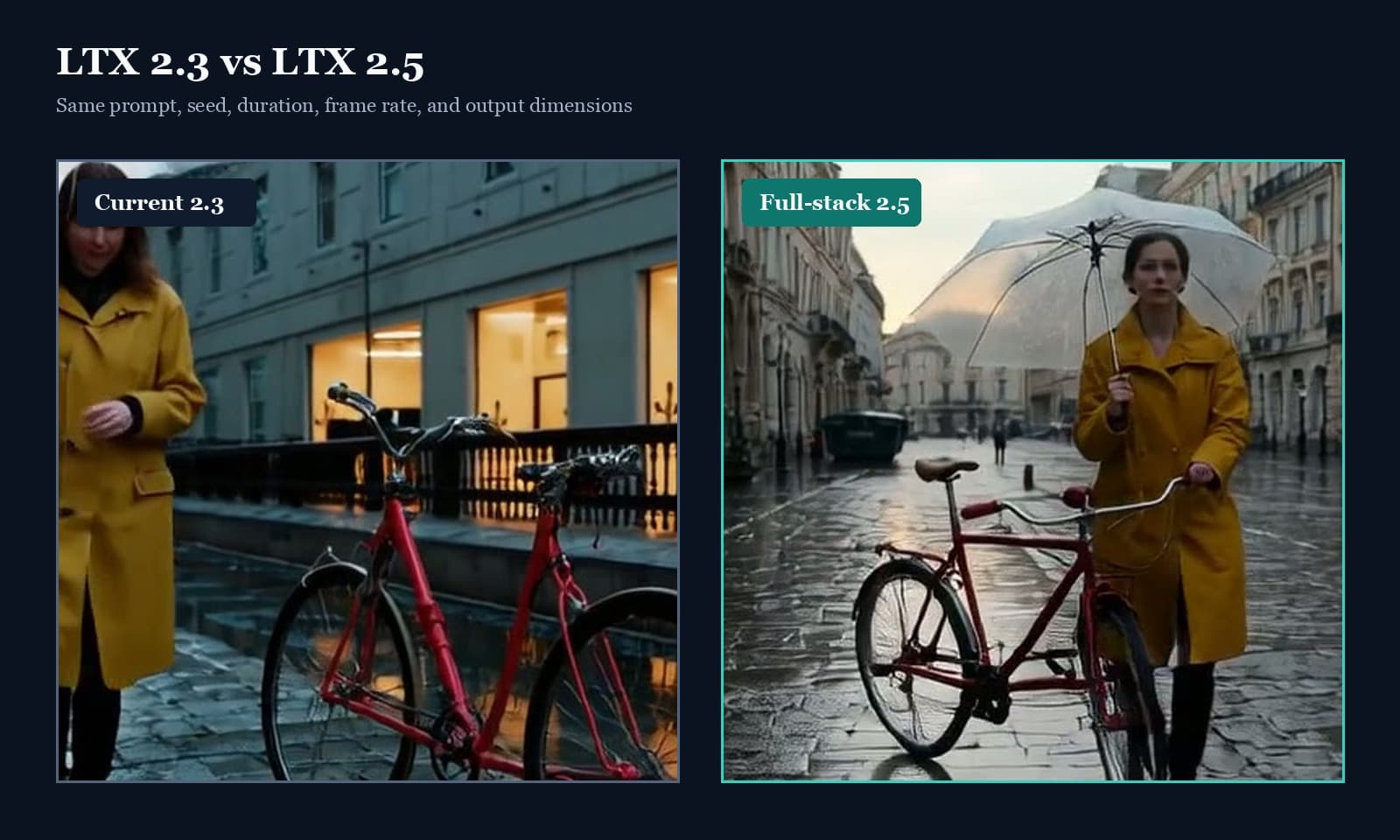
LTX 2.5 vs 2.3: Quality, Speed & Audio Test
LTX 2.5 vs 2.3 tested with fixed seeds: compare prompt adherence, scene continuity, speed, native audio, and the full ComfyUI upgrade path.