
Why Long AI Videos Work Better as Short Shots
A practical look at shot planning, reference frames, generative keyframes, continuity limits, and why long-form AI video still depends on editing.
In this article
The short answer
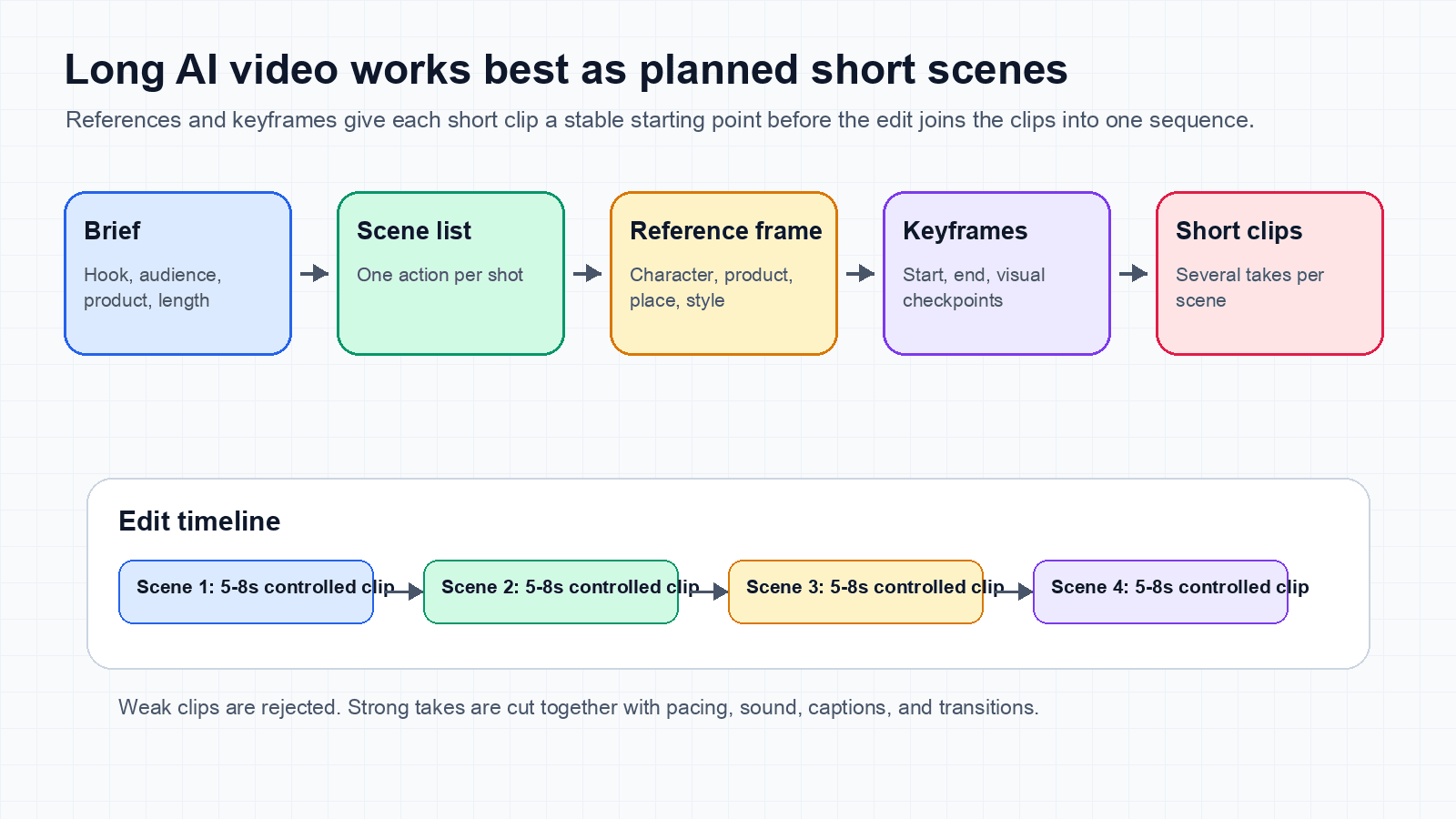
If you want a longer AI-generated video, the strongest workflow today is usually not one huge prompt. It is a planned sequence of short shots.
A practical long-form workflow looks like this:
- Write the story or campaign structure first.
- Split it into short shots with one clear action each.
- Create reference images for characters, products, locations, and style.
- Use reference frames to anchor the start, end, or important beats of each shot.
- Generate short video clips from those anchors.
- Concatenate and edit the clips with pacing, transitions, audio, and captions.
Film terminology helps here. A shot is one continuous camera take. A scene is a story unit that can contain several shots. A sequencecan contain several scenes. Most current generation jobs produce shots, even when an interface casually labels them scenes.
The practical idea
Where this interpretation is right, and where it is too simple
The common intuition is mostly right as a production strategy. Image models often make stronger anchors because a single image has no temporal burden. It only needs to solve composition, lighting, subject identity, and style at one moment in time.
Video models have to solve all of that plus motion, object permanence, camera movement, physics, timing, and frame-to-frame consistency. That is a harder problem.
The part I would be careful with is the training explanation. It is not always true that video models are simply trained on short videos. OpenAI described Sora as trained on videos and images with variable durations, resolutions, and aspect ratios, and said Sora could generate up to a minute of high fidelity video in its February 15, 2024 technical report. That research result disproves the simple claim that video models can only learn from fixed short clips.
Research capability, product limits, and production reliability are three different things. As of August 4, 2026, OpenAI says the Sora web and app experiences were discontinued on April 26, 2026, with the API scheduled for discontinuation on September 24, 2026. The current video API reference lists 4, 8, and 12-second outputs. Those limits are product facts, not direct evidence about the duration distribution of the training data.
Still, even when a model can generate longer samples, long duration introduces more room for drift. Identity can change. Objects can appear. Hands, props, text, and clothing can mutate. The camera can forget where it is. The story can lose cause and effect.
Better diagnosis
Why short shots are easier for video models
A video model does not only make images. It makes a sequence of images that must agree with each other. The longer the shot, the more chances there are for small mistakes to compound.
Short shots help because they keep the task narrow:
- One location.
- One camera move.
- One subject action.
- One lighting setup.
- One emotional beat.
That is exactly how normal filmmaking works too. A movie is not filmed as one continuous prompt. It is built from shots.
Production intuition
Why image models make strong anchors
Image generation is often easier to art-direct for one exact moment because it has no temporal consistency problem to solve. A still image can establish the character, product, room, style, lens, color palette, and composition before motion begins.
That reference image becomes an anchor for the video model. Instead of inventing everything from text while also creating movement, the model starts from a clearer visual state.
This does not mean an image model is categorically more capable than a video model. It means the still image externalizes some decisions before motion generation. The video model still has to preserve identity, expose hidden surfaces, invent intermediate poses, and obey the prompt.
This is especially useful for:
- Product ads where the object must stay recognizable.
- Character scenes where face, outfit, or body shape must remain stable.
- Brand work where colors, logos, and environments matter.
- Cinematic scenes where composition and lighting matter as much as action.
Reference intuition
What keyframes add
A keyframe is a visual checkpoint. In generative video interfaces, that word is sometimes used loosely for a reference image at the start, end, or middle of a shot. It is not always equivalent to a traditional animation keyframe with exact interpolated parameters.
When a model supports first-and-last-frame conditioning, those endpoints give it a constrained motion problem instead of a full invention problem. The model must find a believable path between two known states. An incompatible pair can still produce warping, sudden morphs, or impossible motion, so stronger constraints are not automatically easier constraints.
Good keyframes can control:
- Character position.
- Product angle.
- Camera destination.
- Emotional change.
- Before and after states.
- Scene transitions.
Keyframe intuition
A real two-shot continuity experiment
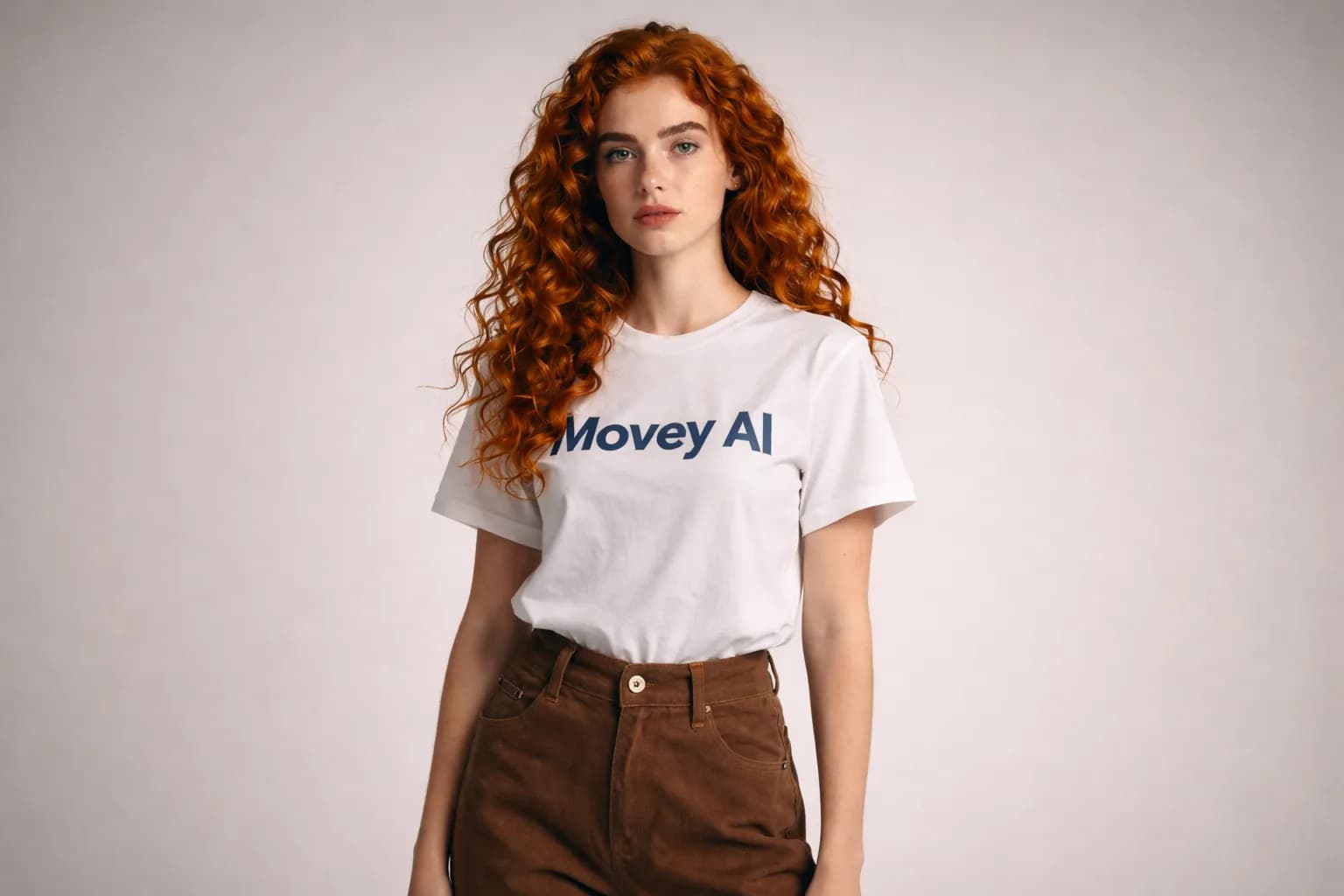
We tested the handoff directly on a Movey test GPU with ComfyUI and Wan 2.2 image-to-video. Clip 1 starts from an existing Movey studio image. Clip 2 starts from the exact final frame produced by clip 1. Both clips use the same 640 by 432 canvas, 49 frames, 16 frames per second, 20 sampling steps, Euler sampler, simple scheduler, CFG 5, and fixed noise seed. No LoRA was used.
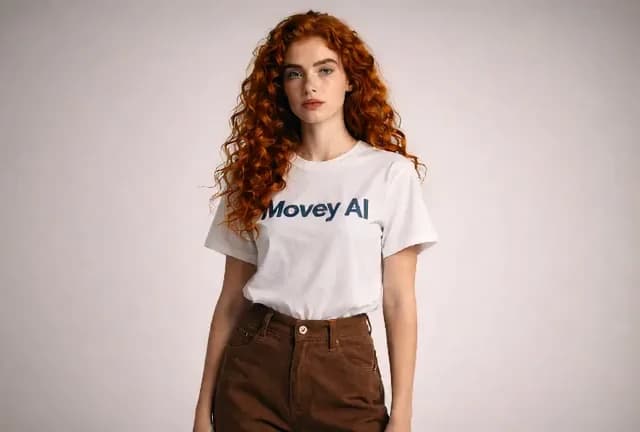
Shot 1, frame 1
The source image fixes the initial identity, wardrobe, background, and composition.
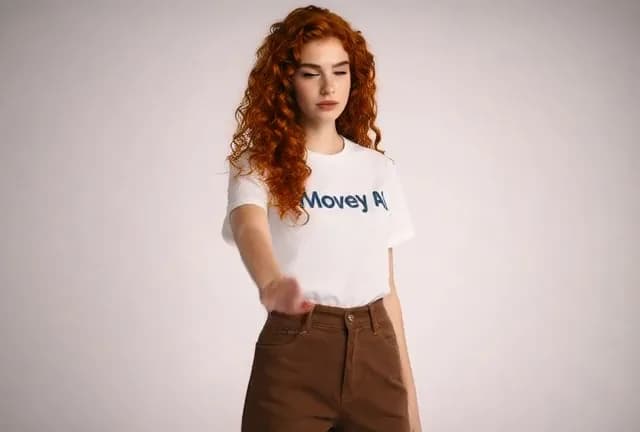
Shot 1, frame 25
The requested action appears while face, hair color, and studio lighting remain broadly stable.
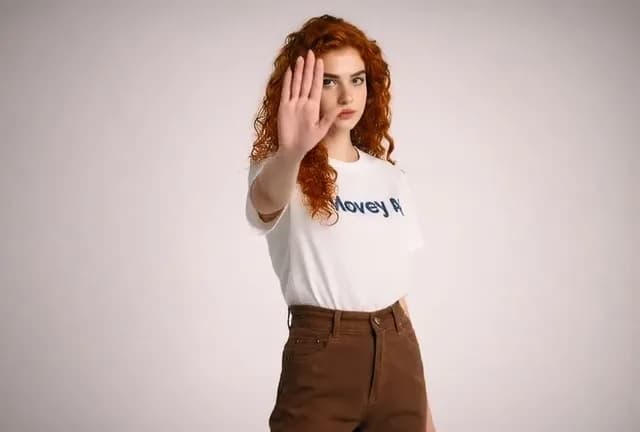
Shot 1, frame 49
This generated frame is saved and reused as the next shot's exact starting anchor.
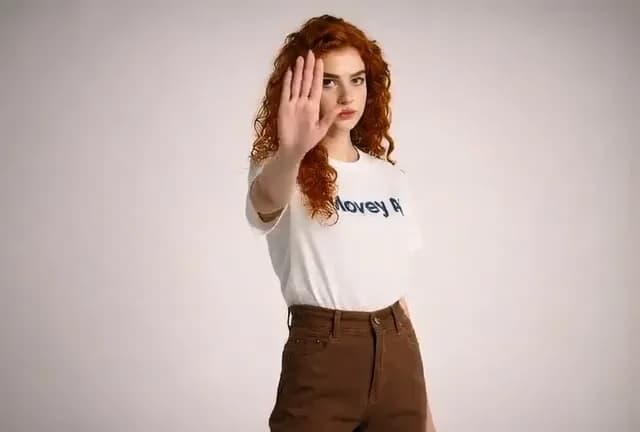
Shot 2, frame 1
The cut boundary matches pose, hand position, framing, hair state, and shirt text state.
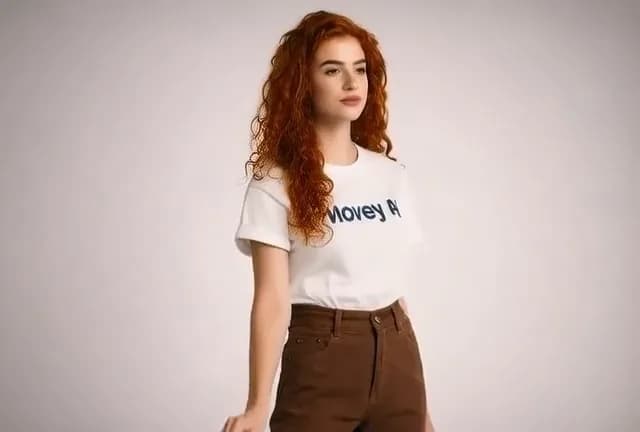
Shot 2, frame 25
The new action develops from the shared frame without resetting to the original pose.
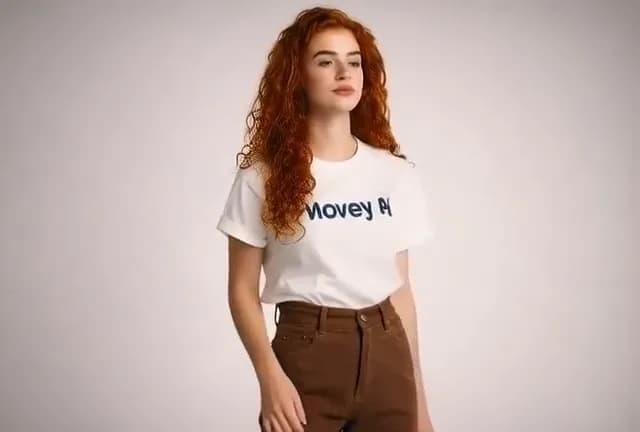
Shot 2, frame 49
The subject remains recognizable, but hair, expression, body position, and lettering continue to drift.
| Element | What held | What drifted |
|---|---|---|
| Cut boundary | Pose, hand, framing, background, and color match exactly. | The duplicate boundary frame adds one held frame unless removed in the edit. |
| Identity | Face, red hair, white shirt, and brown trousers remain recognizable. | Expression, hair volume, hand anatomy, and body proportions still evolve. |
| Brand text | The dark chest lettering stays in the same region. | The original Movey AI degrades toward Movey A and is not repaired by the second anchor. |
What this experiment proves
Why concatenation is not a hack
Concatenating clips can sound crude, but it is how most video is made. Editing is the art of connecting fragments so the viewer experiences one continuous idea.
For AI video, concatenation is often the control layer. It lets you reject weak clips, keep strong takes, adjust pacing, place transitions, add sound, and make the story legible.
The main trick is to design clips so they can connect:
- Match color and contrast across shots in the same scene.
- Keep subjects facing compatible directions.
- End one shot with movement that motivates the next.
- Generate a little extra duration before and after the intended action so the editor has handles.
- Reuse an approved last frame when the next shot should continue the same moment.
- Use audio, captions, or music to hide small visual seams.
- Use cutaways when continuity is difficult.
Editing intuition
A practical long-form AI video workflow
| Step | What you make | Why it helps |
|---|---|---|
| 1. Outline | The purpose, audience, story, and final length. | Prevents the video from becoming a chain of pretty but unrelated clips. |
| 2. Shot list | Short shots with one action and one camera instruction each. | Keeps each generation small enough to control. |
| 3. Reference set | Character, product, location, and style images. | Anchors visual identity across related shots and scenes. |
| 4. Keyframes | Start, end, or important visual beats. | Guides motion and reduces drift. |
| 5. Generate clips | Several takes per shot. | Gives you options instead of forcing one flawed result. |
| 6. Continuity log | Approved endpoint, identity, wardrobe, props, screen direction, and known defects. | Prevents the next prompt from silently redefining the shot. |
| 7. Edit | Final sequence with cuts, sound, captions, and timing. | Turns generated material into a watchable video. |
When one prompt can still work
The short-shot method is not always necessary. A single prompt can work well when the video is short, abstract, atmospheric, or built around one continuous action.
One prompt is more realistic for:
- A 5 to 10 second mood shot.
- A simple product reveal.
- A background loop.
- A single camera move through one environment.
- A stylized animation where exact continuity matters less.
For a longer ad, explainer, cinematic sequence, or story, a shot-based plan usually wins because it creates decision points for selection, continuity, and pacing.
Common mistakes
- Making every shot too busy: one generated take should not contain five story beats and three camera moves.
- Changing references mid-project: the model cannot preserve what you keep redefining.
- Trusting the prompt more than the evidence: inspect endpoint frames, hands, props, text, and screen direction before approving a take.
- Chaining a damaged endpoint: the next shot will inherit defects in the frame used as its anchor.
- Ignoring duplicate boundary frames: remove one copy when the last frame of shot 1 is also the first frame of shot 2.
- Skipping edit time: generated clips are raw material, not the final video.
- Expecting perfect continuity: plan cutaways and transitions so small errors have somewhere to hide.
The production conclusion
Your instinct is right in practice: long AI videos usually become stronger when they are built from short, anchored clips. References and keyframes give the model something to hold onto.
The critical correction is that this is not only about training on short videos. It is about the whole difficulty of video: motion, identity, physics, time, memory, and editing.
The best current approach is not to ask the model to be the whole film crew. Let it be the shot generator. Then use planning and editing to become the director.
Sources
Primary model documentation and research used to separate production advice from claims about model capability.
- Two-shot continuity experiment manifest records the prompts, image anchors, model settings, output files, and continuity limitations shown above.
- OpenAI: Video generation models as world simulators reports variable-duration training inputs and the research system's stated maximum output duration in February 2024.
- OpenAI Help: What to know about the Sora discontinuation provides the current web, app, and API discontinuation dates.
- OpenAI API reference: Videos documents the currently exposed API durations and controls.
- Wan 2.2 official repository for the model family used in the continuity experiment.
- Alibaba Cloud Model Studio: first-and-last-frame video for an example of explicit endpoint conditioning.
- Align your Latents describes high-resolution video synthesis with latent diffusion and temporal layers.
- VideoGen presents reference-guided latent diffusion for text-to-video generation.
- Lumiere presents a space-time diffusion approach that generates a clip across its full temporal duration.
- History-Guided Video Diffusion studies extending video while conditioning on generated history.
Keep reading
Related articles
MiniMax H3 vs WAN 2.2: Preservation or Motion?
Compare MiniMax H3 and WAN 2.2 using six finished ad layouts, measured runtimes, synchronized outputs, source preservation, motion, and production guidance.
LTX 2.5 vs LTX 2.3: What Actually Improved
A visual LTX 2.5 and LTX 2.3 comparison covering prompt adherence, timed scenes, runtime compatibility, native audio, and practical upgrade limits.
Build long-form AI video like a director
Movey Director is designed around scene planning, shot references, image anchors, motion clips, and final assembly because longer videos need structure before generation.