
Why Characters Change Between AI Video Shots
Why identity, hair, wardrobe, and proportions drift, what seeds actually preserve, and how reference sheets reduce guesswork.
In this article
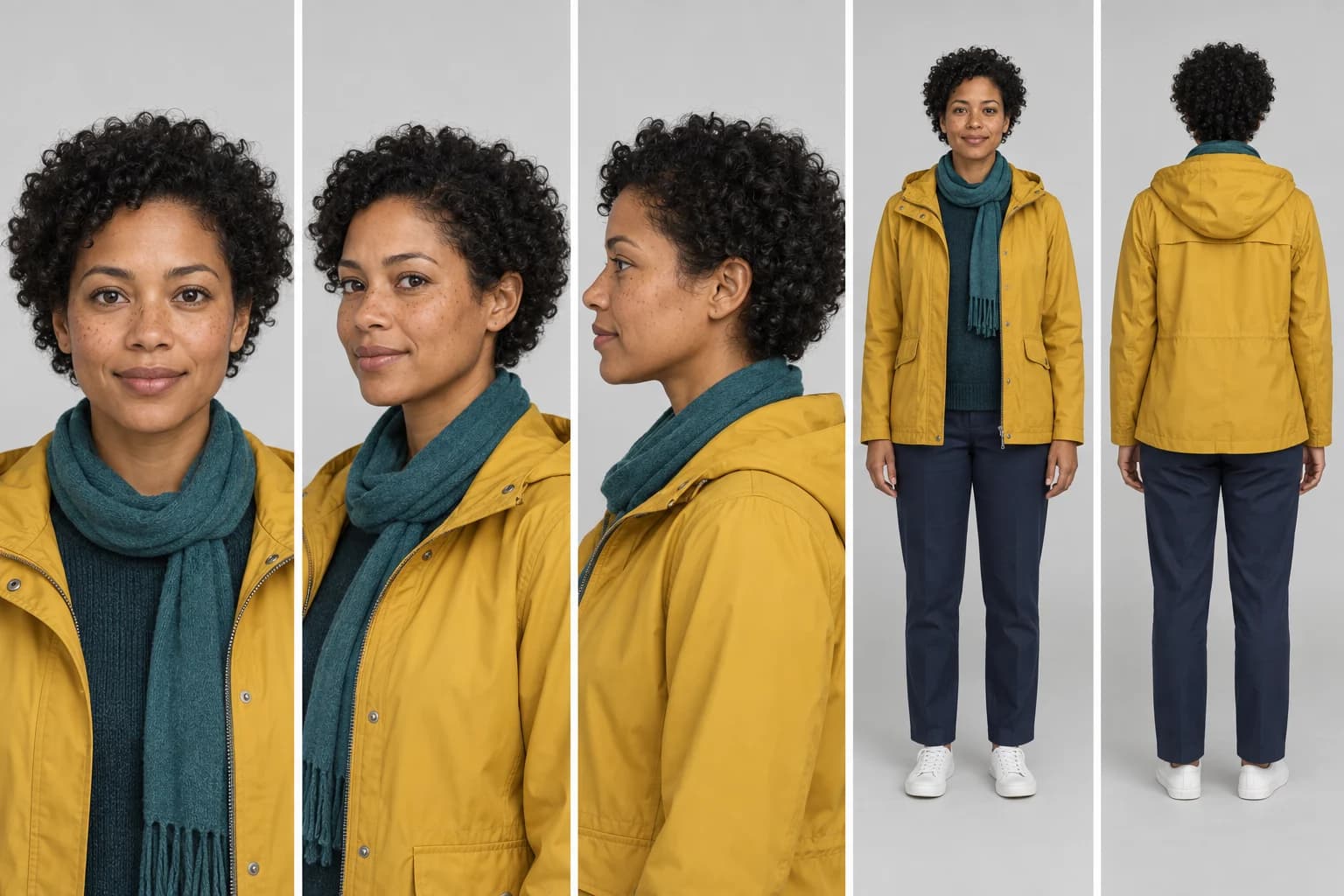
The short answer
Characters change between AI-generated shots because the model is not retrieving a fixed person from a database. It reconstructs a plausible person for each generation from the available prompt, references, learned patterns, and random starting state. Hair, face shape, freckles, clothing seams, and body proportions can all be reinterpreted.
Consistency improves when you reduce what the model must guess. Use a multi-view reference sheet, lock a short list of defining traits, anchor every shot to approved material, limit the changes in each shot, and reject drift before it becomes the reference for the next clip.
Consistency is a workflow, not one setting
What character drift actually looks like
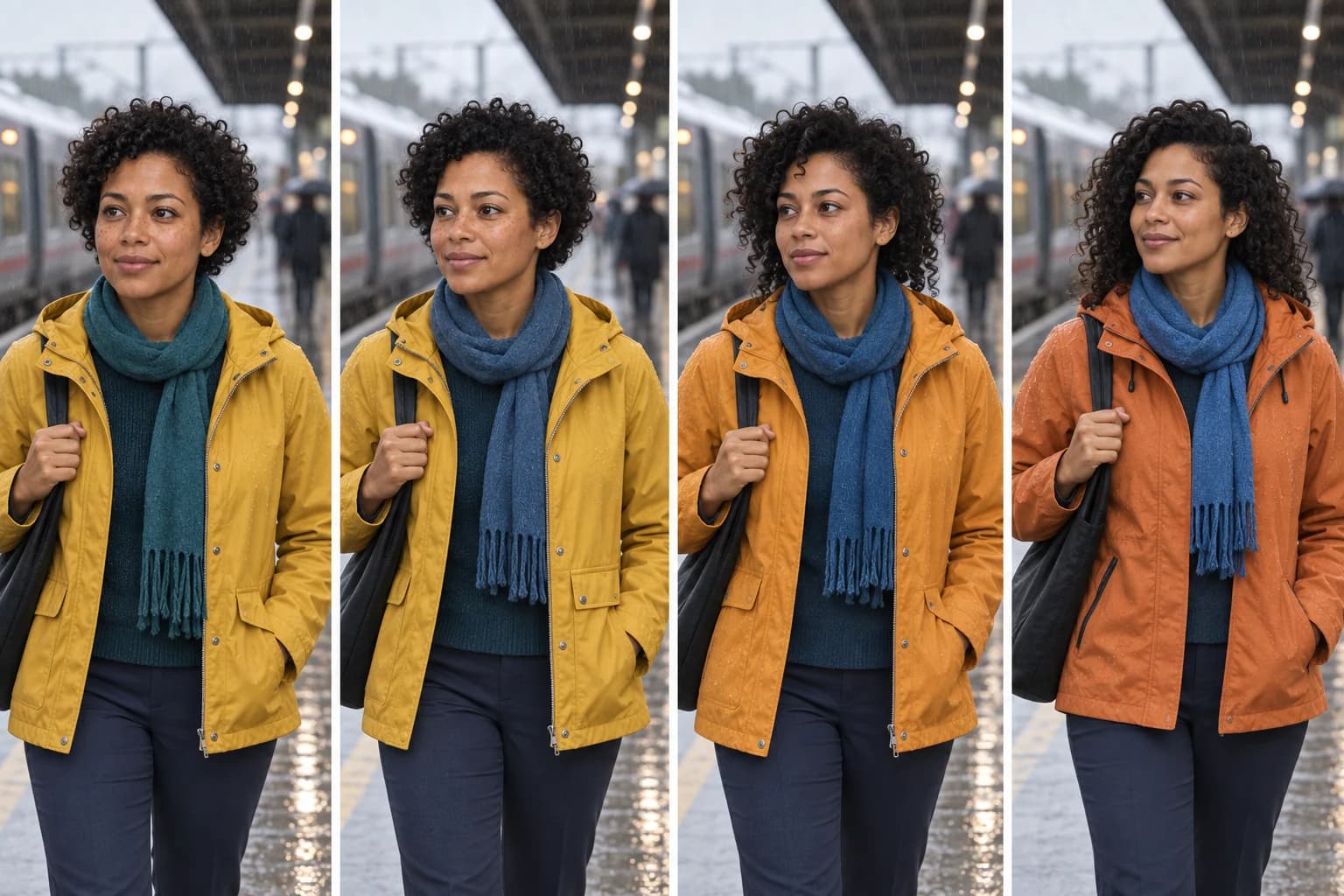
Identity drift is not limited to a completely different face. Small changes are often more damaging because viewers feel them before they can name them. A jacket pocket jumps sides. The hairline changes between cuts. The scarf becomes brighter. Eye spacing moves just enough to make the next close-up feel like another actor.
Separate the character into reviewable groups. This prevents a generally attractive frame from hiding one continuity error.
| Trait group | What to compare |
|---|---|
| Face | Face shape, eye spacing, nose, lips, freckles, age |
| Hair | Curl pattern, length, hairline, color, parting |
| Wardrobe | Mustard jacket, teal scarf, navy trousers, white shoes |
| Silhouette | Height impression, proportions, jacket length |
| Color | Exact jacket and scarf family under the chosen grade |
Why the model changes a character
A reference is compressed into guidance
Many reference-conditioned systems pass an image through a visual encoder or a dedicated reference network. That representation preserves useful identity and appearance information, but it is not the original pixels. Fine details such as a freckle pattern, fabric weave, small earring, or exact seam can receive less weight than broad traits such as hair color and face category.
A new view contains missing information
A frontal portrait does not reveal the back of a jacket or the precise profile of a nose. When the next shot asks for a profile, full-body view, or large head turn, the model has to complete those unseen parts. The result can be plausible without matching the intended character.
Motion creates repeated opportunities to drift
Video adds a time dimension. The face must remain coherent across changing pose, expression, motion blur, occlusion, and lighting. A small error can appear for one frame, persist, and then become the new local pattern. Longer clips and larger viewpoint changes generally ask more of the temporal model.
Conditions can compete
The prompt may request wet hair while the reference shows dry curls. A pose guide may turn the head farther than the identity reference supports. Strong scene lighting may move clothing colors. The model resolves those instructions together, not as perfectly isolated controls.
A seed repeats noise, not a person
The seed initializes the random process for a particular workflow. With the same software, model files, settings, prompt, dimensions, and hardware path, it can help reproduce a result. It does not contain Mara, the mustard jacket, or any other identity.
If the prompt changes from front portrait to running profile, the same random values are interpreted under different conditions. If the model or scheduler changes, those values travel through different calculations. The resulting person can change even though the seed field displays the same number.
For a deeper explanation of this boundary, read Why the Same Seed Can Produce a Different Image.
Build a reference sheet that covers the planned shots
A useful reference sheet is not a mood board. It is a compact specification of what must remain stable. Include only the views and details that the upcoming sequence will need.
- Front and three-quarter portraits establish the face under neutral lighting.
- A profile supplies nose, chin, ear, hairline, and head-depth information.
- Full-body front and back views establish proportions, outfit length, and rear details.
- Neutral expression and pose reduce accidental performance cues.
- Even color and lighting make wardrobe and skin references easier to interpret.
More references are not automatically better. Near-duplicate images add little. Contradictory outfits, hairstyles, or ages create ambiguity. Use the smallest set that covers the actual viewpoint and expression range.
A stable multi-shot character workflow
- Approve the character sheet. Treat it as source material, not inspiration.
- Write a short identity block. Name only traits that visibly distinguish the character.
- Create clean keyframes. Establish each new location or viewpoint as a still before adding motion.
- Generate short shots. One performance beat and one camera instruction are easier to preserve.
- Compare against the sheet. Inspect face, hair, wardrobe, silhouette, and color separately.
- Continue only from approved frames. Do not use a continuity error as the anchor for the next shot.
- Repair in the cheapest layer. Reapply exact graphics in post; regenerate when face or geometry is wrong.
CHARACTER LOCK
Mara, adult woman, medium-brown skin, short natural black curls, brown eyes, light freckles.
Mustard-yellow rain jacket over dark teal sweater, narrow teal scarf, navy trousers, white low-top shoes.
Preserve face shape, curl length, freckles, jacket cut, scarf color, body proportions, and age.

SHOT CHANGE
Medium profile shot on a rainy platform. Mara turns toward an arriving train.
One slow head turn. Locked camera. No wardrobe, hairstyle, or age change.
The character lock stays stable. The shot change describes only what is new. This separation makes it easier to compare prompts and identify where a result departed from the plan.
Diagnose the failure before changing the workflow
| Failure | First response | Do not assume |
|---|---|---|
| Face changes during a large turn | Add profile reference or reduce turn | More prompt adjectives will restore geometry |
| Outfit changes between shots | Use full-body references and a compact wardrobe lock | The model treats clothing as identity automatically |
| Character barely moves | Reduce reference strength or simplify motion | Maximum conditioning is always best |
| Drift grows across shots | Return to approved references and keyframes | The last generated frame is a clean anchor |
Character continuity checklist
- Does the face still match at normal playback speed and on a paused close-up?
- Do the hairline, curl length, and silhouette remain stable?
- Are clothing color, cut, seams, pockets, and accessories unchanged?
- Does the new angle reveal unsupported geometry that needs another reference?
- Did lighting change the perceived skin or wardrobe color?
- Is the motion strong enough, or did preservation freeze the character?
- Is the final frame clean enough to anchor the next shot?
For a practical reference-conditioned workflow, continue with How Reference Images Steer Generative Models.
Frequently asked questions
Will using the same seed keep a character identical?
No. A seed selects a repeatable source of random values inside a specific model and workflow. It does not store a character identity. Change the prompt, pose, reference, resolution, model, scheduler, or workflow and the same seed can lead to a different person.
Is one portrait enough as a character reference?
It may be enough for a nearby head-and-shoulders shot. It is weak evidence for profiles, full-body motion, back views, clothing details, or extreme expressions. A compact multi-view sheet gives the workflow more of the information it otherwise has to invent.
Why can stronger reference conditioning make motion worse?
Preservation and motion compete. Very strong conditioning can make the model cling to the reference pose or copy details too rigidly. Weaker conditioning permits movement but gives the model more freedom to reinterpret identity and clothing.
Should I continue each new shot from the previous generated frame?
Only if that frame still passes the identity check. Chaining from a slightly drifted frame makes the error the next shot's reference. Return to the approved character sheet or a clean keyframe whenever continuity starts to move.
Sources
Primary research used to verify the explanations of reference conditioning and identity consistency.
- Animate Anyone, CVPR 2024 introduces a reference network for preserving detailed appearance and temporal modules for smoother character animation.
- MagicAnimate, CVPR 2024 studies temporally consistent animation of a reference identity under a driving motion sequence.
- CharaConsist, ICCV 2025 documents consistency failures in identity, clothing, and background under larger motion changes.
- Gloria, CVPR 2026 shows why structured multi-view and expression anchors provide stronger long-duration identity context than a single reference.
Keep reading
Related articles
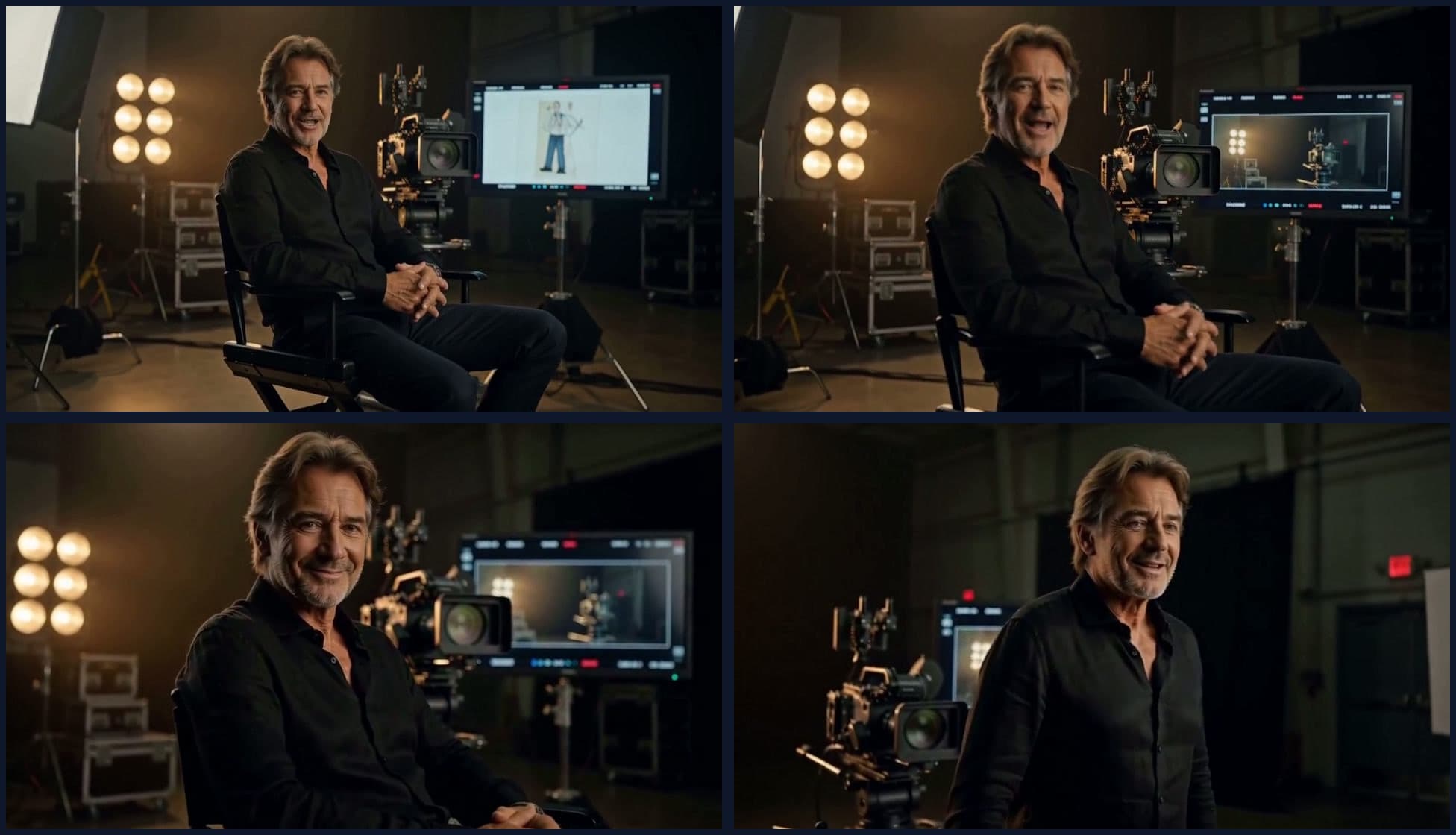
What We Learned Building Long-Form Video with MiniMax H3
A practical MiniMax H3 long-form video guide covering scene assembly, continuity, context handoffs, reference scheduling, native audio, duration control, and quality review.
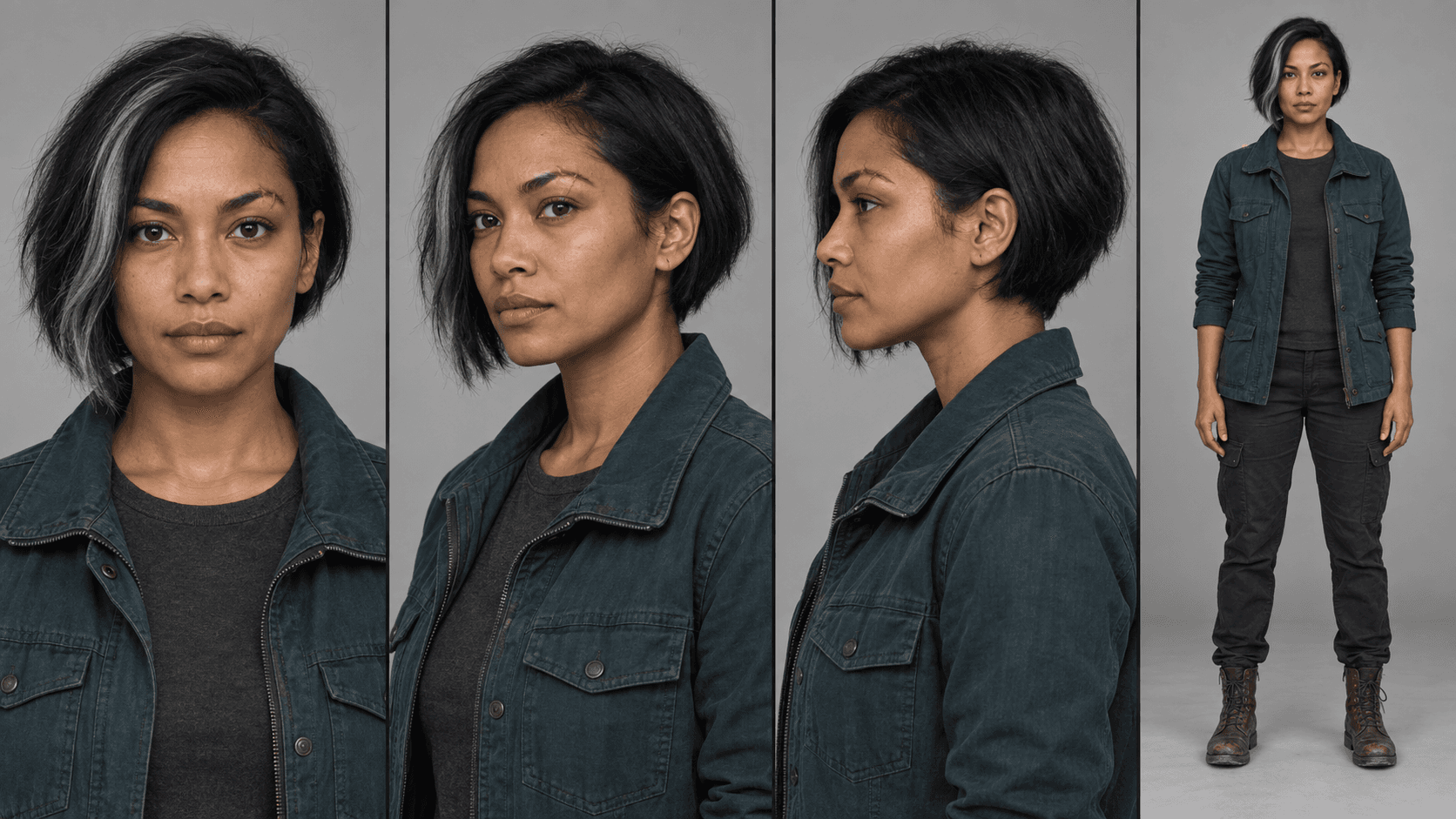
MiniMax H3 Reference Workflows: Character Sheets in Practice
Build MiniMax H3 reference-to-video workflows with concatenated character sheets, composition frames, numbered prompt tags, controlled examples, and practical failure checks.