
Why AI Video Is So Much Heavier Than AI Images
A systems-level explanation of space-time latents, temporal attention, activations, model weights, sampling steps, resolution, and frame count.
In this article
The short answer
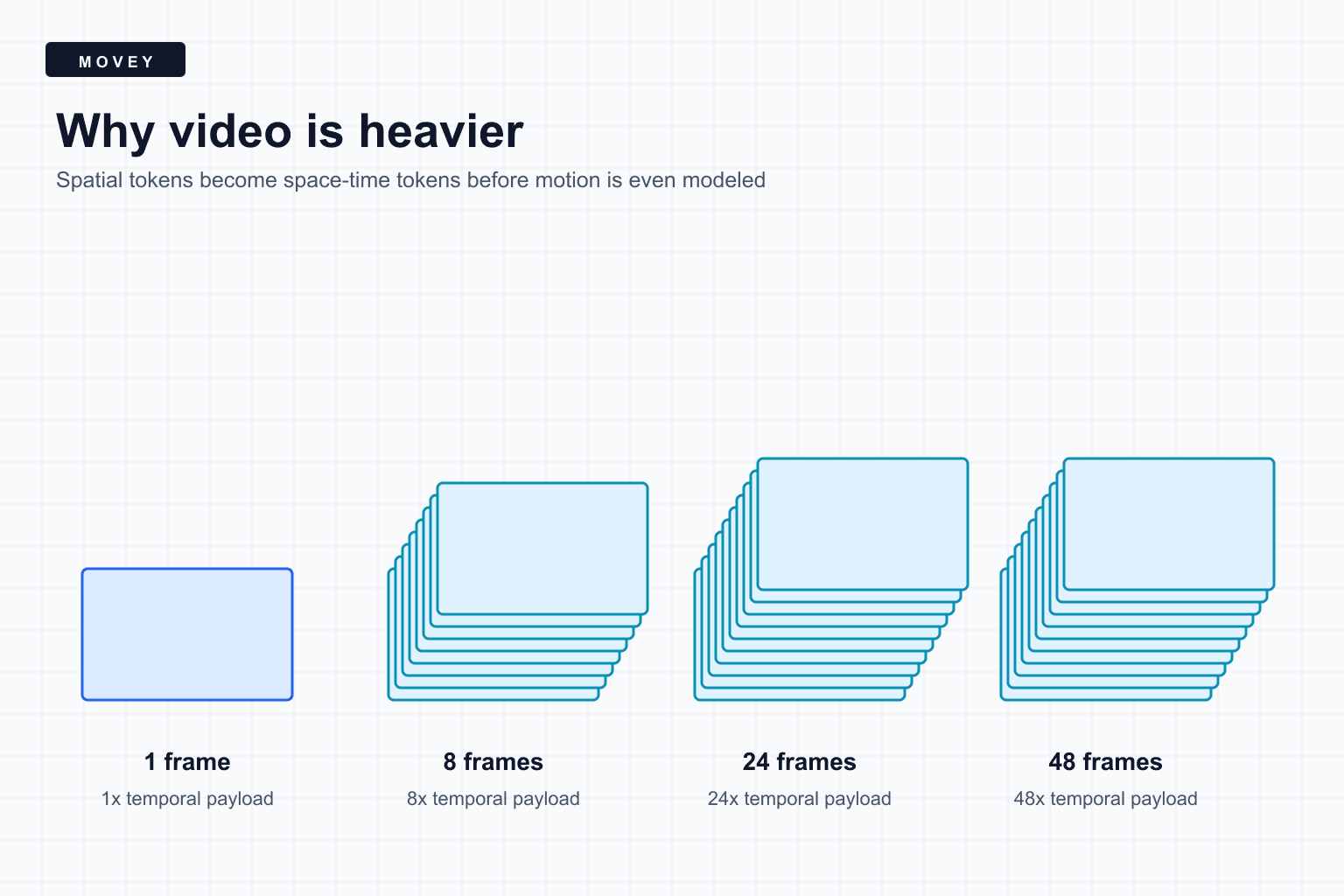
AI video is heavier than AI image generation because the model must represent many frames and their relationships. It cannot merely create 48 good pictures. It must make frame 17 plausible after frame 16, keep objects recognizable, preserve motion, and avoid temporal flicker.
Three budgets grow at once
An image tensor becomes a space-time tensor
A color image can be written as a tensor with height, width, and channel dimensions. A video adds frames:
Modern generators usually work in a compressed latent space, so they do not process every RGB value at full resolution during every step. A video VAE compresses spatial dimensions and often the temporal dimension. Compression changes the constant factor, but more frames and more pixels still create more latent tokens.
A simple scaling example
The chart below treats one 1024 by 576 image as one relative unit. It then multiplies by frame count and pixel area. This is not a runtime prediction. It isolates the input-size pressure before model-specific compression, sparse attention, windowing, caching, or temporal downsampling.
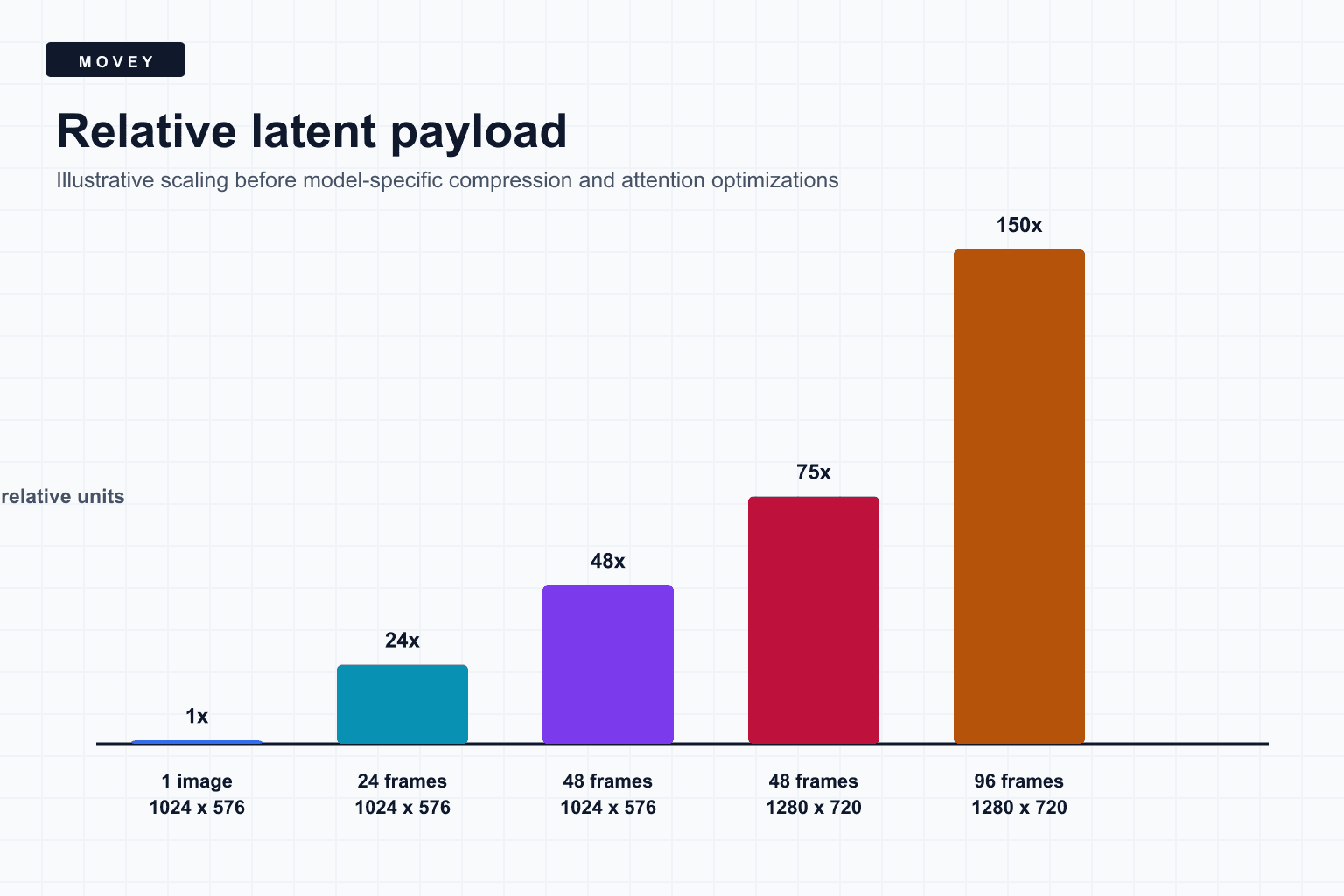
The visual shows those exact relative payloads. Real latent shapes must respect model-specific frame and dimension multiples, and some architectures compress time before the denoiser sees it.
The model must also relate moments
Spatial modeling asks which parts of one frame relate to each other. Temporal modeling asks how features evolve through time. Full attention across every space-time token can become expensive because the attention matrix grows approximately with the square of token count.
Video systems therefore use factorized spatial and temporal attention, local windows, sparse patterns, lower-resolution stages, temporal compression, or cached features. The exact cost depends on those choices. “Frames times image cost” is a useful lower-level intuition, not a complete performance equation.
Weights are only part of VRAM
Model weights occupy a relatively stable amount of memory. Activations depend on resolution, frame count, batch size, attention implementation, and the current layer. A 14-billion-parameter model in FP8 may fit its weights in a 24 GB GPU while a long or high-resolution latent still causes an out-of-memory error.
- Weights: learned parameters loaded for inference.
- Activations: intermediate tensors produced by the current forward pass.
- Attention workspace: score, key, query, value, and kernel-specific buffers.
- VAE memory: latent encoding and frame decoding.
- Framework overhead: CUDA context, memory pools, kernels, and fragmentation.
Every sampling step repeats expensive work
Diffusion and flow-style generators evaluate the denoiser repeatedly. A rough first-order model is:
Distilled models reduce the number of denoiser evaluations. Wan2.2 uses a mixture-of-experts design in its A14B family, with one expert for high-noise stages and another for low-noise stages. The repository describes about 27 billion total parameters with roughly 14 billion active per step. Total model capacity and active per-step compute are therefore different numbers.
How video architectures make the problem tractable
- Latent compression. Generate a compact representation and decode pixels later.
- Temporal compression. Represent several output frames with fewer latent time positions.
- Windowed or factorized attention. Avoid one global all-to-all matrix.
- Mixture of experts. Activate specialized weights for different denoising regions.
- Caching. Reuse slowly changing features or attention states where the architecture permits.
- Staged generation. Generate lower resolution first, then upscale spatially or temporally.
Each shortcut adds assumptions. A temporal window limits direct long-range communication. Strong compression asks the decoder to reconstruct more detail. Sparse attention saves work only if the chosen pattern retains the relationships needed for motion and identity.
Production controls that actually move cost
- Use the shortest frame count that covers the shot.
- Generate at the smallest resolution that survives the intended crop and delivery format.
- Keep batch size at one unless measured throughput justifies more.
- Choose a distilled or smaller model for previews, then promote selected shots.
- Avoid regenerating a full sequence when only one shot needs revision.
- Keep models warm when utilization justifies the VRAM reservation.
- Measure end-to-end time, including decode, video encoding, transfer, and queue delay.
Frequently asked questions
Is a four-second AI video simply 96 separate images at 24 FPS?
Not usually. Video models compress frames into latent representations and model temporal relationships jointly. The output still contains many spatial and temporal elements, but the architecture avoids treating every pixel independently.
Does doubling video length always double cost?
No. The latent payload grows roughly with frame count, while attention, caching, windowing, model architecture, and decoding can make compute scale sublinearly or superlinearly in different regions.
Which setting reduces video cost fastest?
Frame count and pixel area are usually the strongest direct controls. Model size, sampling steps, batch size, temporal upsampling, and output codec also matter.
Sources
Primary model repositories and papers used to verify the video architecture claims.
- Wan2.2 official repository documents the A14B mixture-of-experts design, active parameter count, supported resolutions, and model families.
- Lumiere: A Space-Time Diffusion Model describes multi-scale spatial and temporal processing for full-frame-rate video generation.
- Photorealistic Video Generation with Diffusion Models covers a causal video encoder, joint image-video latent space, window attention, and cascaded super-resolution.
- PyTorch automatic mixed precision documents how lower precision and higher precision operations are mixed during model execution.
Keep reading
Related articles

What MiniMax H3 Is Actually Good At
See when MiniMax H3 preserves finished designs better than WAN 2.2 and LTX 2.3, when that restraint becomes a weakness, and how its audio and references behave.
VRAM, Precision, and Quantization: Fitting AI on a GPU
Learn what occupies GPU memory, how numeric precision and quantization change checkpoint size, why weights can fit while inference fails, and how to debug AI out-of-memory errors.