
VRAM, Precision, and Quantization: Fitting AI on a GPU
A detailed guide to FP32, BF16, FP16, FP8, INT4, weight storage, activation peaks, mixed precision, offloading, and out-of-memory failures.
In this article
The short answer
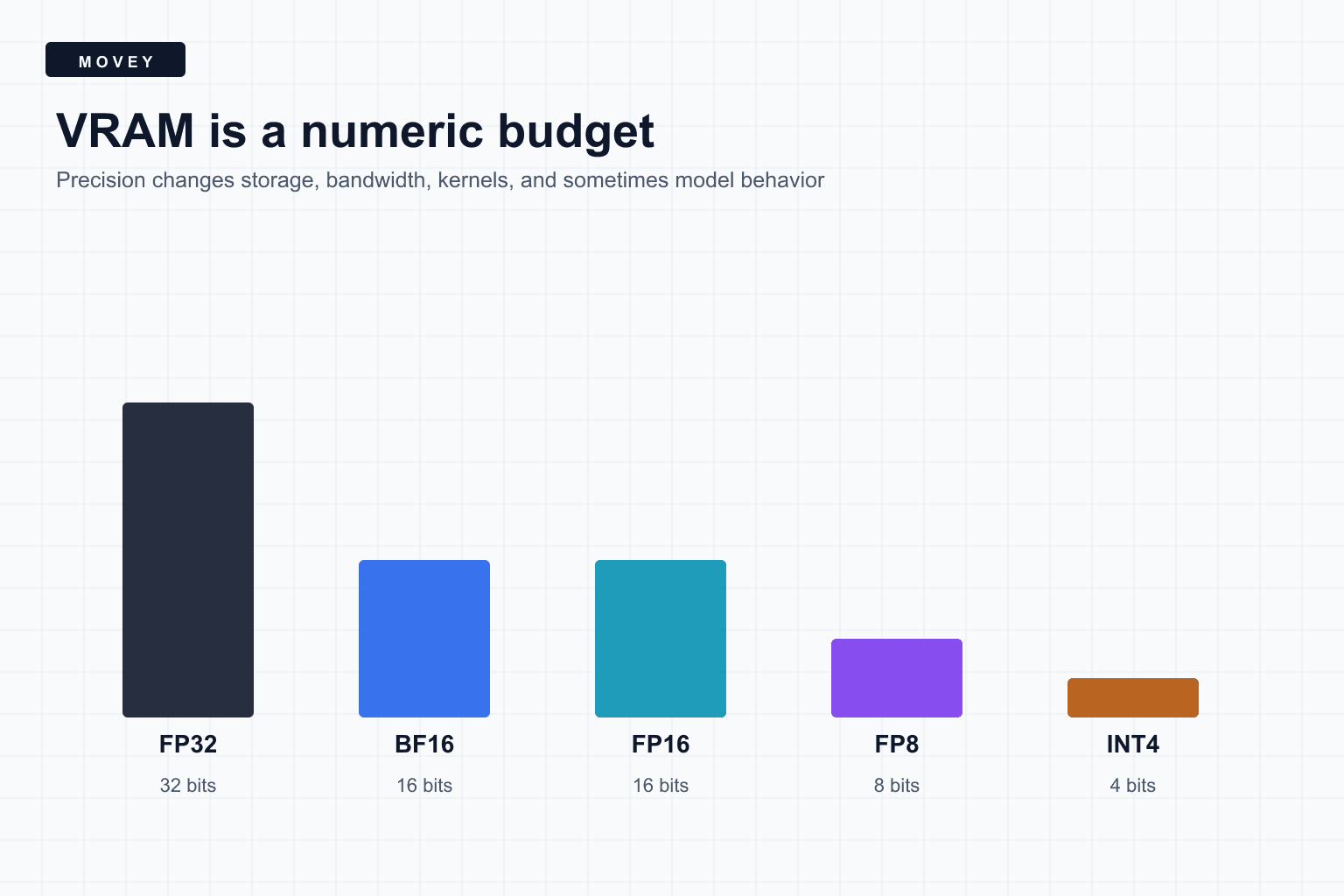
Precision determines how numeric values are encoded. Fewer bits usually reduce weight storage and memory bandwidth, but they also reduce representable detail or range. Quantization adds a mapping between a compact stored number and an approximate real value.
The production question
What actually occupies VRAM
- Model weights: denoiser, text encoder, VAE, adapters, and auxiliary models.
- Activations: intermediate values whose shapes depend on the current input.
- Attention state: queries, keys, values, score blocks, and optimized kernel workspaces.
- Latents and decoded frames: larger with resolution, frame count, and batch size.
- Runtime memory: CUDA context, compiled kernels, allocator pools, and graph caches.
- Temporary copies: loading, casting, dequantization, and transfer buffers.
FP32, BF16, FP16, FP8, and INT4
| Format | Bits | Useful intuition | Caution |
|---|---|---|---|
| FP32 | 32 | Wide range and precision baseline | High storage and bandwidth |
| BF16 | 16 | FP32-like exponent range | Only 7 fraction bits |
| FP16 | 16 | More fraction bits than BF16 | Narrower exponent range |
| FP8 | 8 | Compact floating-point weights | Format and scale handling matter |
| INT4 | 4 | Very compact quantized values | Requires scale and grouping choices |
NVIDIA’s TensorRT data-format documentation specifies FP16, BF16, FP8, FP4, INT8, and INT4 among supported inference types. Hardware support and fast kernels vary by GPU generation and operation.
Measured Wan2.2 files on a test GPU
Our test GPU stores matched Wan2.2 14B high-noise and low-noise checkpoints in FP16 and scaled FP8 forms. The FP16 files are 28.58 GB each. The FP8 files are 14.29 GB each, almost exactly half.
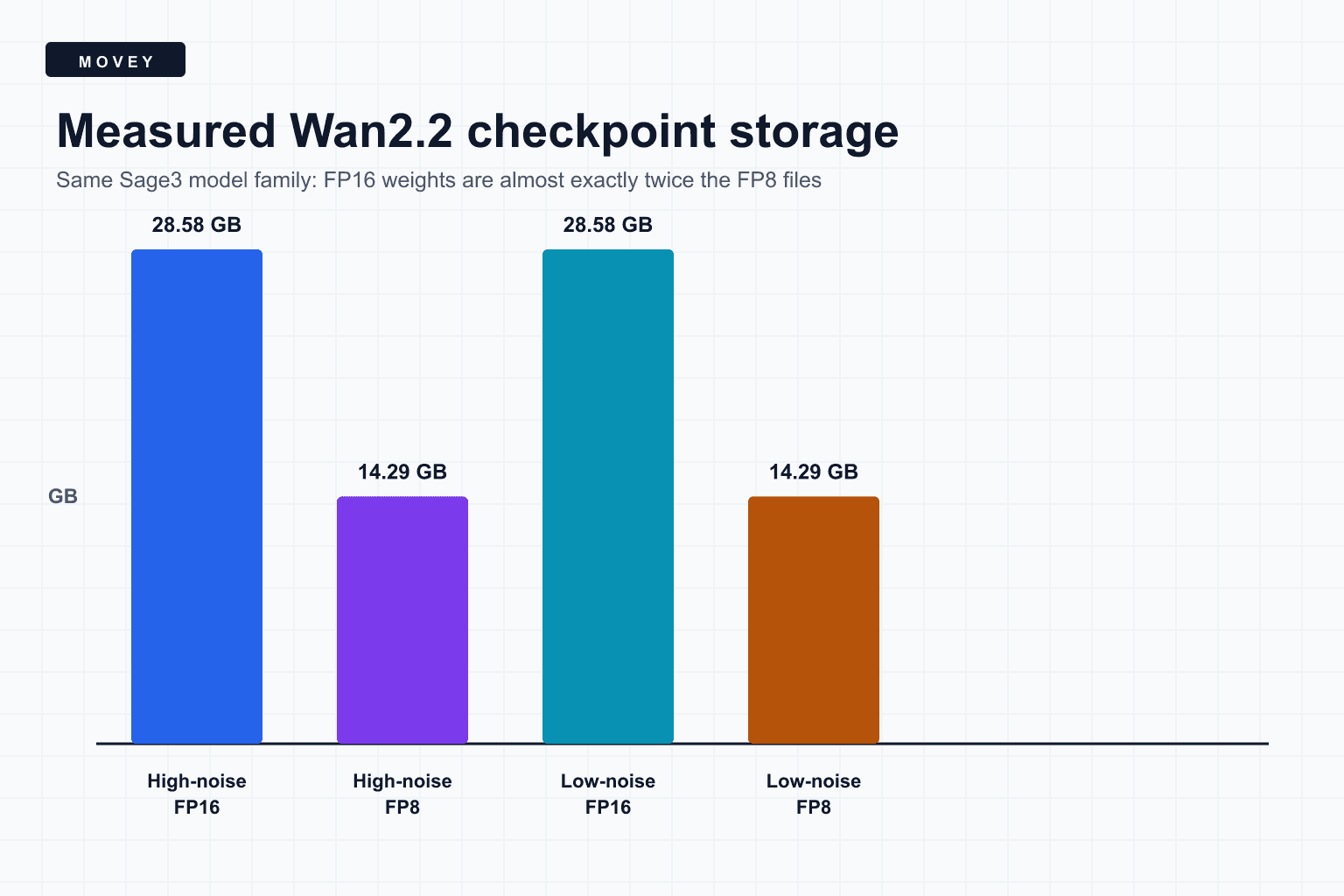
This is a storage comparison, not an end-to-end quality or speed benchmark. The FP8 checkpoint may still use higher-precision accumulation, scales, and activations. Runtime kernels decide whether compact storage also becomes faster execution.
What quantization adds
Integer and low-bit formats usually represent a group of real values using compact codes plus one or more scales. A simple symmetric quantizer can be written as:
The reconstructed value ŵ approximates w. Group size controls how many weights share one scale. Smaller groups adapt better to local ranges but require more scale metadata. Outlier handling, calibration data, per-channel scales, and quantization-aware training can all affect error.
FP8 is floating point rather than integer, but practical FP8 inference still depends on format choice and scaling. E4M3 offers more fraction precision and less range than E5M2. The suffix in a checkpoint filename is part of the runtime contract, not decoration.
Why weights can fit while the run fails
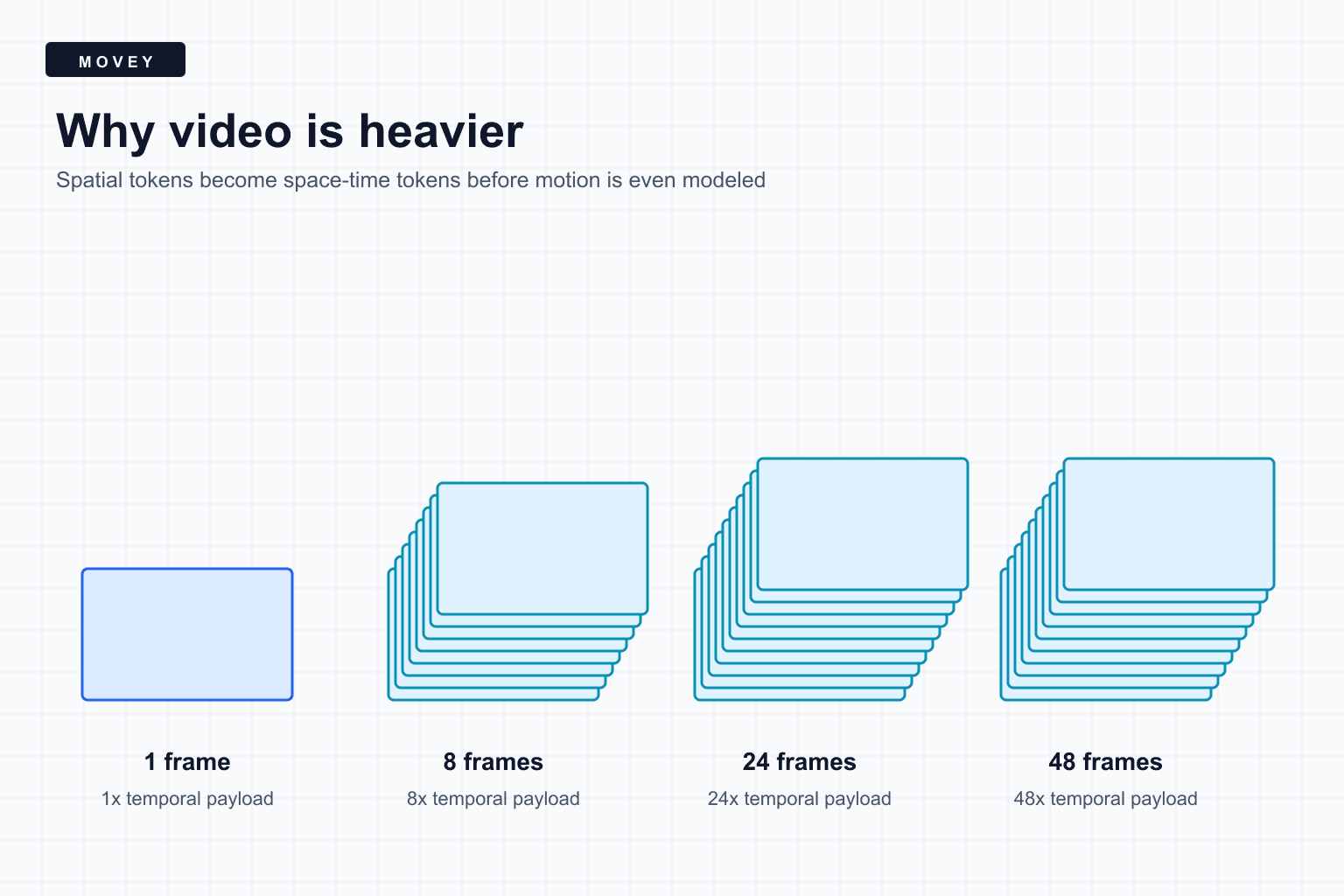
Weight memory is largely fixed for one loaded model. Activation memory grows with the workload. Video is especially demanding because latent frames and temporal attention expand with duration and resolution.
Attention may create additional temporary tensors. Memory-efficient attention kernels avoid materializing the full score matrix, but they still need supported shapes, dtypes, and head dimensions. A fallback kernel can change a previously safe workflow into an out-of-memory failure.
PyTorch automatic mixed precision handles this selectively. Linear layers and convolutions can run at lower precision while reductions or numerically sensitive operations remain in FP32. Mixed precision is an operation policy, not one global cast.
Offloading, tiling, and scheduling
- CPU offload: move inactive components or blocks out of VRAM, trading transfer latency for capacity.
- Model unload: release one model before loading another, reducing warm-cache speed.
- VAE tiling: decode smaller spatial regions, with possible seam or overhead concerns.
- Temporal chunking: process frame groups where the model supports it, with continuity tradeoffs.
- Quantized weights: reduce storage and bandwidth when supported kernels preserve acceptable quality.
- Queue scheduling: avoid placing two individually safe jobs on the same GPU at the same time.
An out-of-memory checklist
- Record free and reserved VRAM before the run.
- Confirm which model components are already resident.
- Reduce batch size to one.
- Reduce frame count before changing several variables at once.
- Reduce pixel area while keeping model-required multiples.
- Check whether an optimized attention kernel was disabled or unsupported.
- Unload stale models and clear only safe caches.
- Test a supported lower-precision checkpoint.
- Leave operational headroom instead of targeting the exact advertised VRAM total.
Frequently asked questions
Does FP8 always use half the VRAM of FP16?
Weights stored with one byte instead of two bytes are roughly half the size, but total VRAM also includes scales, activations, workspaces, caches, allocator overhead, and components that may remain in higher precision.
Is BF16 more accurate than FP16?
Neither is universally more accurate. BF16 has the wide exponent range of FP32 but fewer fraction bits. FP16 has more fraction precision but a narrower range. The better choice depends on the values and operations.
Why can a model file fit on disk but fail to load on the GPU?
Loading may require temporary copies, dequantization buffers, multiple model components, CUDA context memory, and room for activations. File size is a lower-bound clue, not a complete VRAM budget.
Sources
Primary precision documentation plus the official model repository behind the measured checkpoint family.
- Checkpoint measurement manifest records the measured files, byte sizes, advertised formats, and the limits of the comparison.
- NVIDIA TensorRT data formats defines FP32, FP16, BF16, FP8, FP4, INT8, and INT4 representations.
- PyTorch automatic mixed precision explains operation-specific autocasting and higher-precision handling.
- Wan2.2 official repository documents the model family represented by the measured checkpoint pairs.
Keep reading
Related articles
Why AI Video Is So Much Heavier Than AI Images
Understand why AI video needs more GPU memory and compute than image generation, with tensor math, frame-resolution scaling, temporal attention, and practical cost controls.

What MiniMax H3 Is Actually Good At
See when MiniMax H3 preserves finished designs better than WAN 2.2 and LTX 2.3, when that restraint becomes a weakness, and how its audio and references behave.