
Local AI or Cloud API? A Practical Systems Decision
A measured comparison of warm latency, cold starts, GPU residency, privacy boundaries, fixed and variable costs, reliability, and hybrid model routing.
In this article
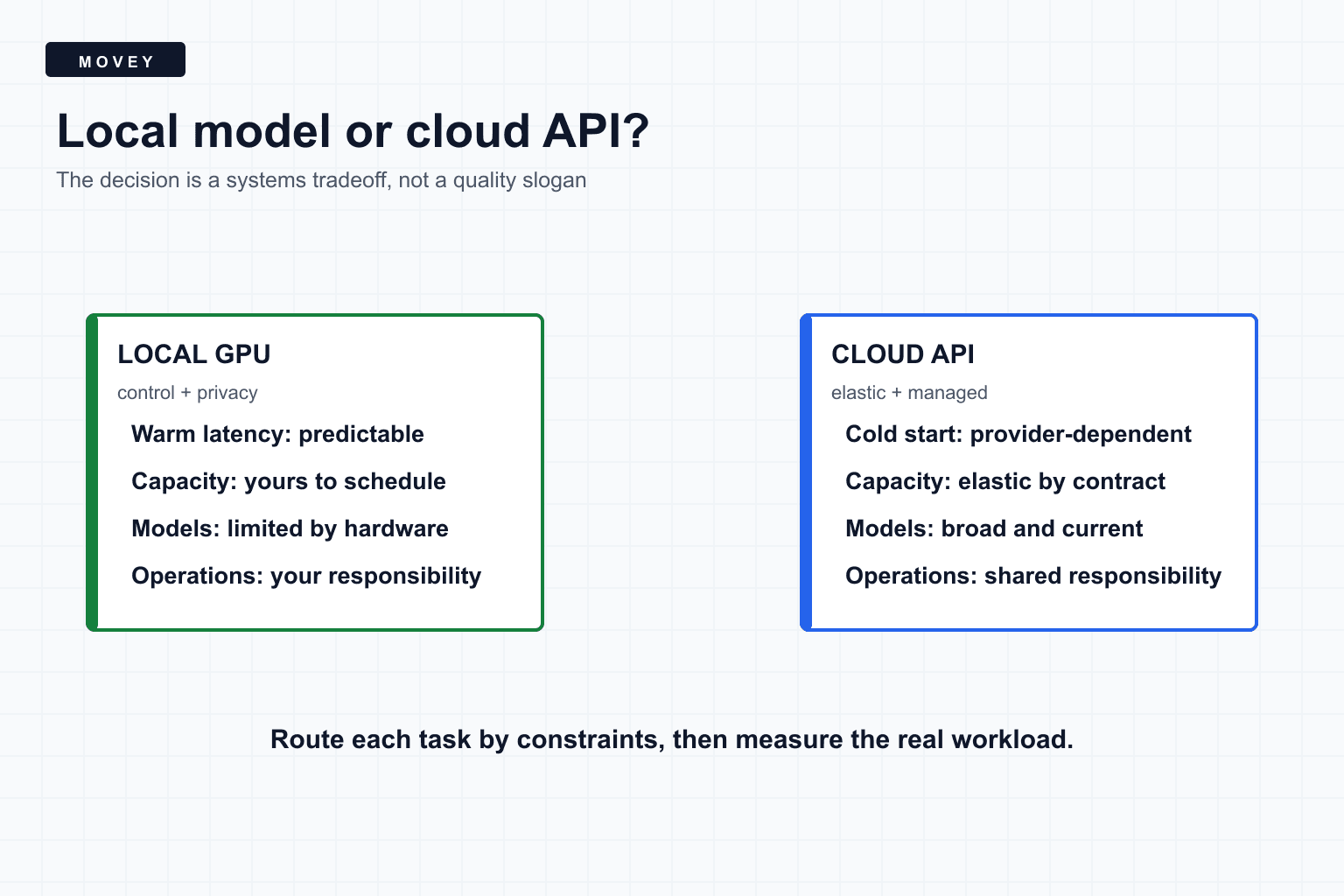
The short answer
Local AI gives you direct control over models, data paths, warm capacity, and versioning. Cloud APIs give you managed infrastructure, elastic capacity, and access to models that may be impractical to host. Neither is universally faster, cheaper, safer, or better.
Route by constraints
The decision has more than two columns
| Dimension | Local system | Cloud API |
|---|---|---|
| Capacity | Fixed by owned hardware | Elastic within provider limits |
| Warm latency | Directly controllable | Provider and network dependent |
| Model choice | Open weights that fit | Provider catalog |
| Privacy boundary | Your deployment | Contract and provider controls |
| Operations | Your responsibility | Shared with provider |
| Cost shape | Fixed plus utilization | Usage based |
A controlled local Ollama benchmark
We tested two local models on a Movey test GPU with an RTX 3090: Llama 3.1 8B with a 4.9 GB Ollama package and Qwen3 14B with a 9.3 GB package. Both received the same route-classification prompt with temperature 0, seed 42, thinking disabled, streaming disabled, and a 64-token cap.
ComfyUI models were unloaded first. GPU use was 1,024 MiB before the benchmark. Each model ran once cold and twice warm. Both selected the correct video route.
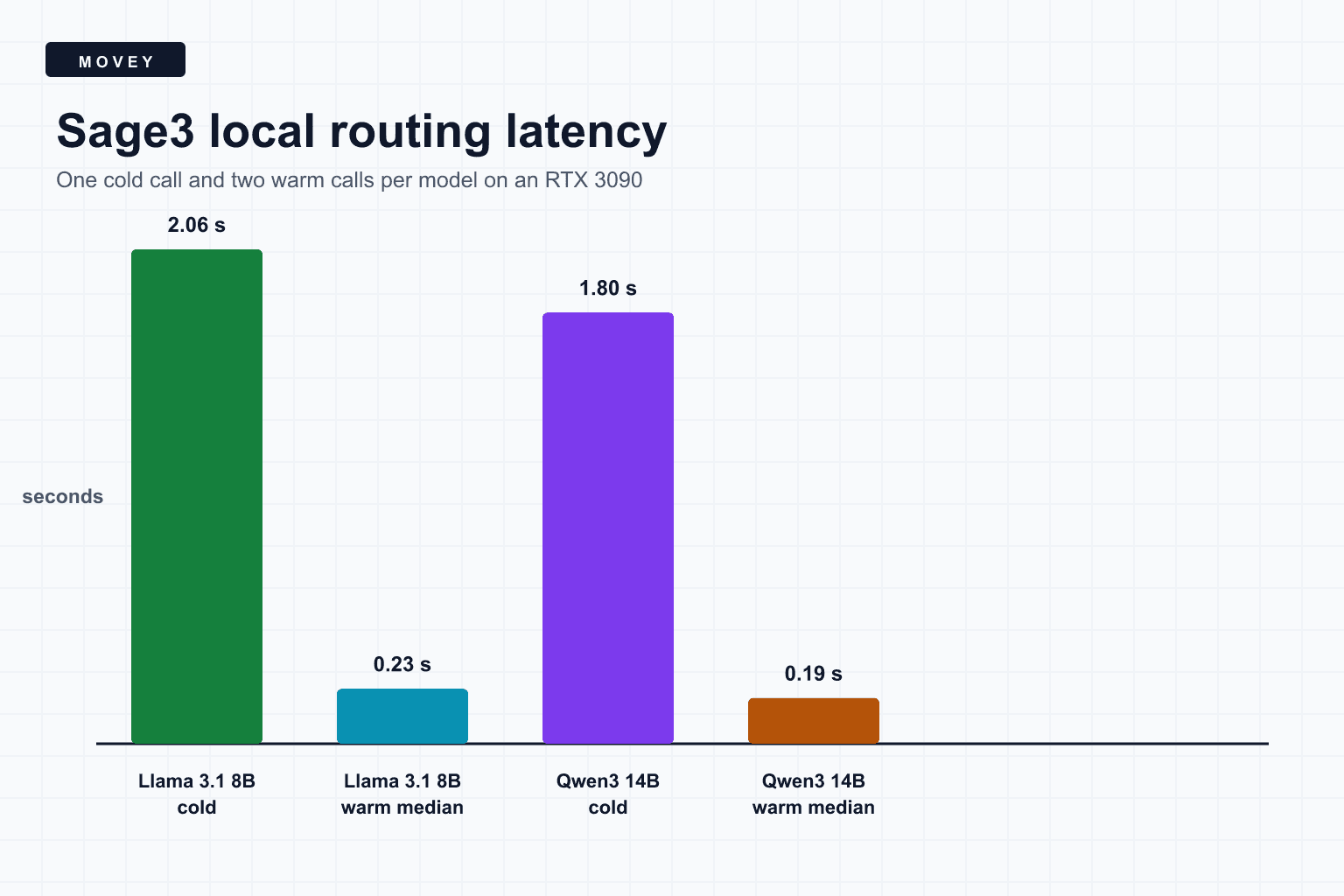
| Model | Cold total | Warm totals | Resident GPU use |
|---|---|---|---|
| Llama 3.1 8B | 2.062 s | 0.233 s, 0.226 s | 6,687 MiB total used |
| Qwen3 14B | 1.799 s | 0.198 s, 0.183 s | 10,633 MiB total used |
What the numbers do and do not mean
Warm calls were about eight to ten times faster end to end because model loading disappeared and the runtime could reuse resident state. The larger Qwen package loaded slightly faster in this run, which shows why disk size alone does not predict cold latency. Filesystem cache, quantization, model layout, runtime version, and GPU placement matter.
The outputs had different token counts, so raw total time is not a pure generation-throughput comparison. Llama produced 14 output tokens with Markdown fencing. Qwen produced 7 tokens of plain JSON. For the product, structured correctness and parsing behavior matter as much as tokens per second.
The experiment manifest records nanosecond timing fields from Ollama. Its API returns total duration, load duration, prompt token count, prompt evaluation duration, output token count, and evaluation duration, which makes this kind of workload measurement reproducible.
Local is a deployment property, not a label
A local model improves control only when the complete path is local. Check prompt logs, crash reporting, analytics, model-download telemetry, reverse proxies, browser requests, and fallback behavior. An application can run inference locally while still sending metadata elsewhere.
Cloud privacy depends on provider terms, data-retention settings, region, account configuration, and the exact API. Avoid blanket claims. Document which fields leave the application boundary and why.
Compare cost at the expected utilization
Local hardware becomes attractive when it stays usefully occupied. At low volume, idle hardware and maintenance can dominate. At bursty volume, a cloud API may absorb peaks without forcing permanent capacity. At steady high volume, provider margins can exceed the cost of owned hardware.
Include engineering time. Driver upgrades, model downloads, disk pressure, queue tuning, security patches, monitoring, and failed jobs are real costs even when inference has no per-call invoice.
Reliability moves, it does not disappear
- Local risk: GPU failure, thermal limits, disk exhaustion, model corruption, and finite queue capacity.
- Cloud risk: rate limits, regional incidents, provider changes, network dependency, and account policy.
- Local control: pin versions, inspect logs, reserve capacity, and choose fallback behavior.
- Cloud control: select regions, quotas, timeout policy, retries, and provider redundancy where supported.
A hybrid router is often the strongest design
Movey uses local planning for suitable routing tasks and sends media generation to the workflow or provider that fits the requested capability. A practical router can consider:
- Does policy allow this data to leave the local boundary?
- Does a local model meet the measured quality threshold?
- Is local capacity healthy and below the queue limit?
- Does the request require a capability available only from a provider?
- What are the deadline, estimated cost, and fallback policy?
if privacy_requires_local:
    route = best_healthy_local_model
elif local_quality_passes and local_queue_is_short:
    route = local_model
elif cloud_provider_is_allowed:
    route = cloud_model
else:
    route = deterministic_fallback
Movey exposes this idea as workflow choices instead of asking creators to operate infrastructure directly. Start with the general creation box or use Director when the job needs multiple planned scenes.
Frequently asked questions
Is local AI always cheaper than a cloud API?
No. Local inference exchanges per-call pricing for hardware, electricity, idle capacity, maintenance, and engineering time. It is attractive when utilization, privacy, latency, or control justify those fixed costs.
Does local AI mean data never leaves the machine?
Only if the complete request path is local and correctly configured. Telemetry, model downloads, reverse proxies, logs, browser analytics, and fallback providers can still transmit data.
Should one model handle every task?
Usually not. Small deterministic tasks, private routing, premium generation, vision analysis, and difficult reasoning have different requirements. A router can select the smallest system that meets the quality and policy threshold.
Sources
Official Ollama API fields and model documentation used for the controlled local benchmark.
- Ollama benchmark manifest records the raw nanosecond timings, model package sizes, GPU memory readings, prompt, and runtime options.
- Ollama generate API documents streaming, keep-alive behavior, structured output, token counts, and timing fields.
- Ollama chat API documents messages, tools, structured formats, and runtime metrics for chat workloads.
Keep reading
Related articles

What MiniMax H3 Is Actually Good At
See when MiniMax H3 preserves finished designs better than WAN 2.2 and LTX 2.3, when that restraint becomes a weakness, and how its audio and references behave.
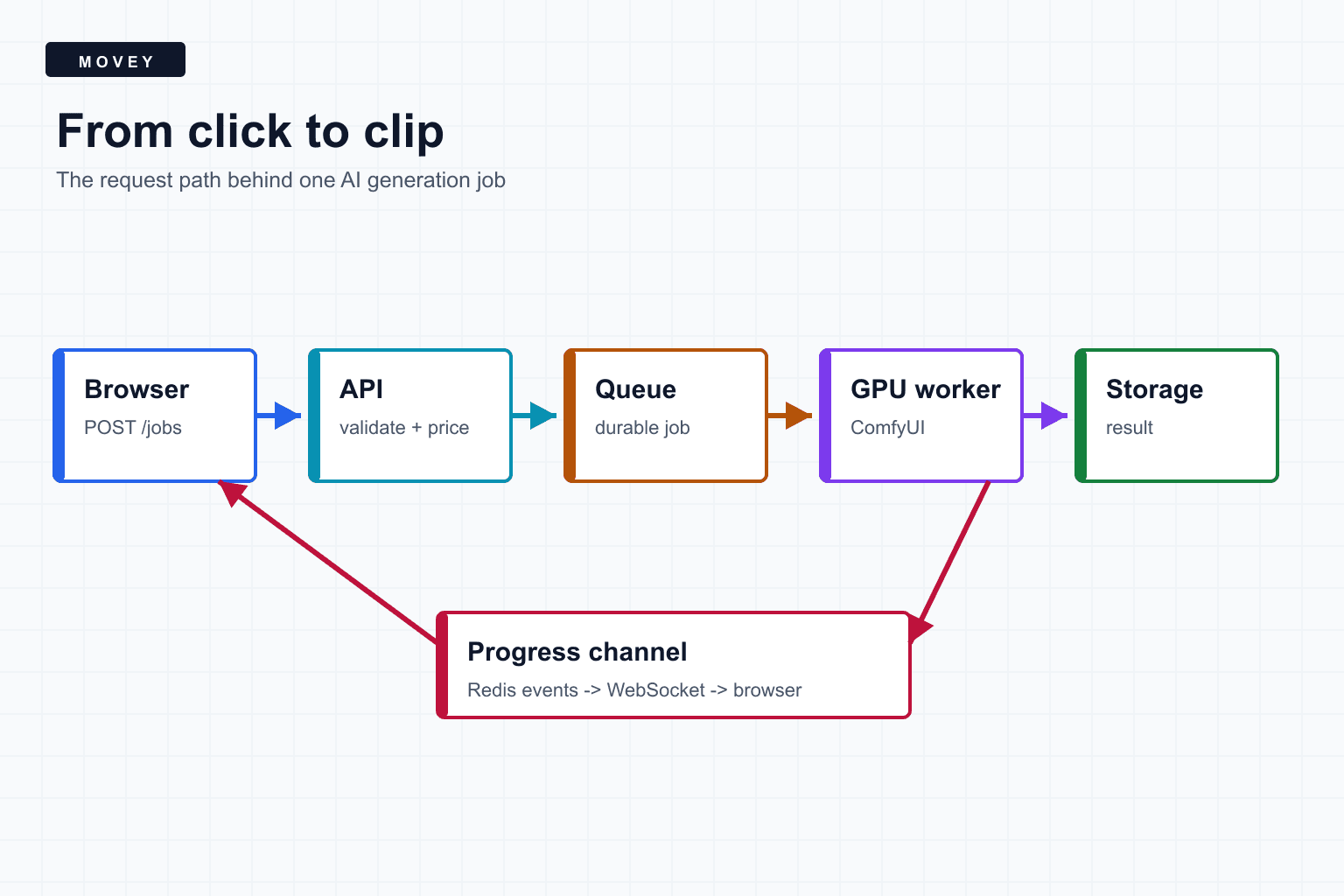
From Click to Clip: Inside an AI Generation Job
Follow an AI generation request through validation, durable job state, Redis-backed queues, ComfyUI execution, WebSocket progress, output storage, and failure recovery.